
TL;DR
- Atomic Heart lacks built-in FOV adjustment despite modern gaming standards
- Flawless Widescreen provides essential FOV customization from 0% to 40% scaling
- Proper installation requires downloading plugins and configuring HUD settings
- The software addresses both ultrawide monitor support and standard display optimization
- Troubleshooting includes managing launch issues and UI element positioning
Games and Esports Articles
Many players have discovered that Atomic Heart presents an unusual omission in its settings menu: the complete absence of a field of view (FOV) slider. This represents a significant departure from contemporary first-person shooter conventions, where adjustable FOV settings have become standard practice. The capability to modify field of view proves particularly valuable for gamers using ultrawide monitors, as it helps prevent the distorted perspective and motion sickness that can occur with improperly configured viewing angles.
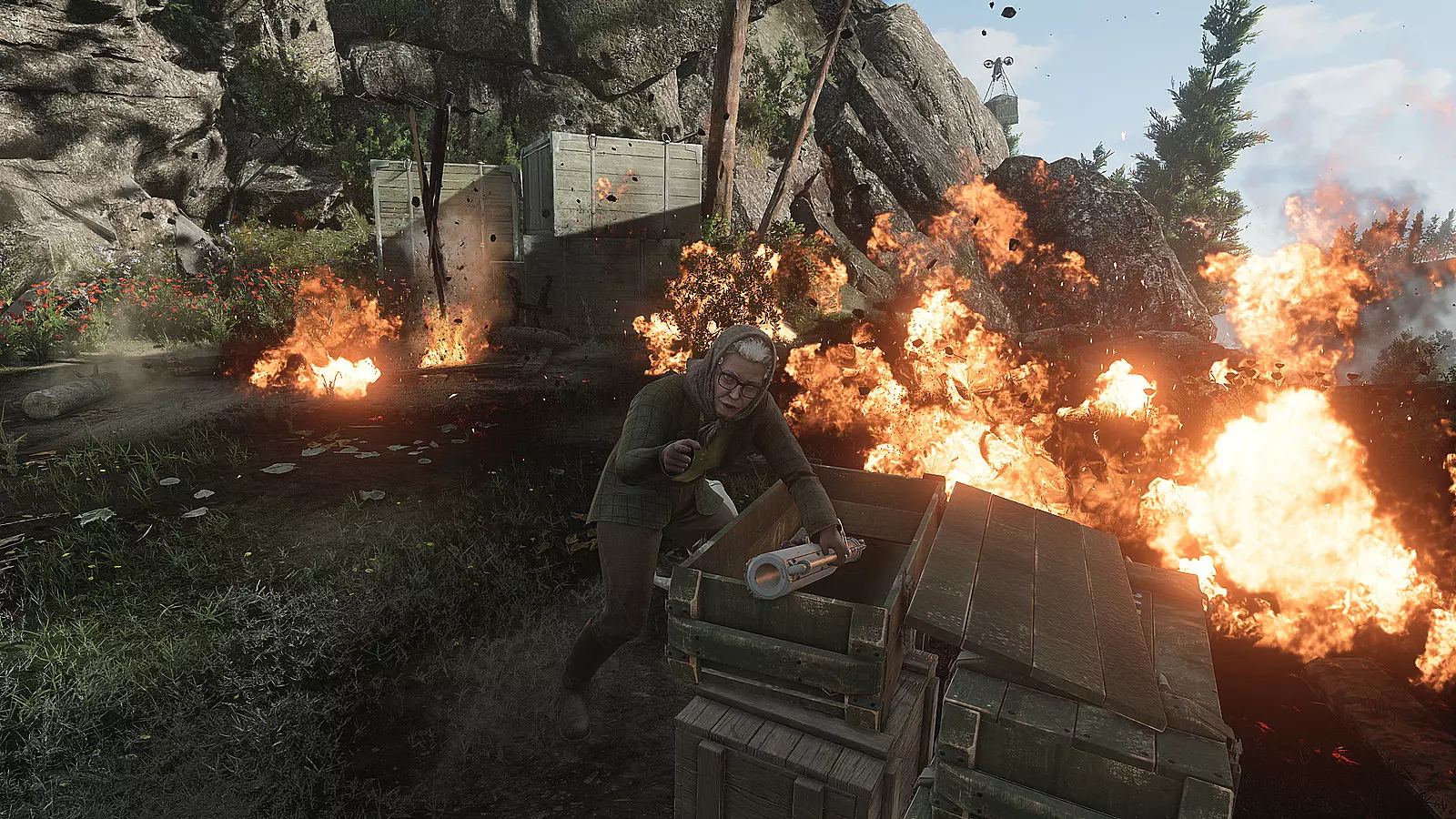
Mundfish, the development studio behind the game, offered a somewhat unconventional explanation for this design decision. They asserted that the game “already features a wide FOV, higher than many other games” and therefore didn’t require additional adjustment options. While their technical assessment may hold validity, the exclusion of customization features contradicts player expectations in today’s gaming landscape, where personalization options significantly impact user comfort and accessibility.
How to change FOV in Atomic Heart
Unlike traditional FOV modification methods that involve editing configuration files or accessing developer consoles, the solution for Atomic Heart necessitates utilizing third-party software called Flawless Widescreen. This specialized application comprises a collection of plugins specifically engineered to enhance gaming experiences on ultrawide displays. However, its utility extends beyond ultrawide setups, offering valuable field of view adjustment capabilities for standard 16:9 monitor configurations as well.
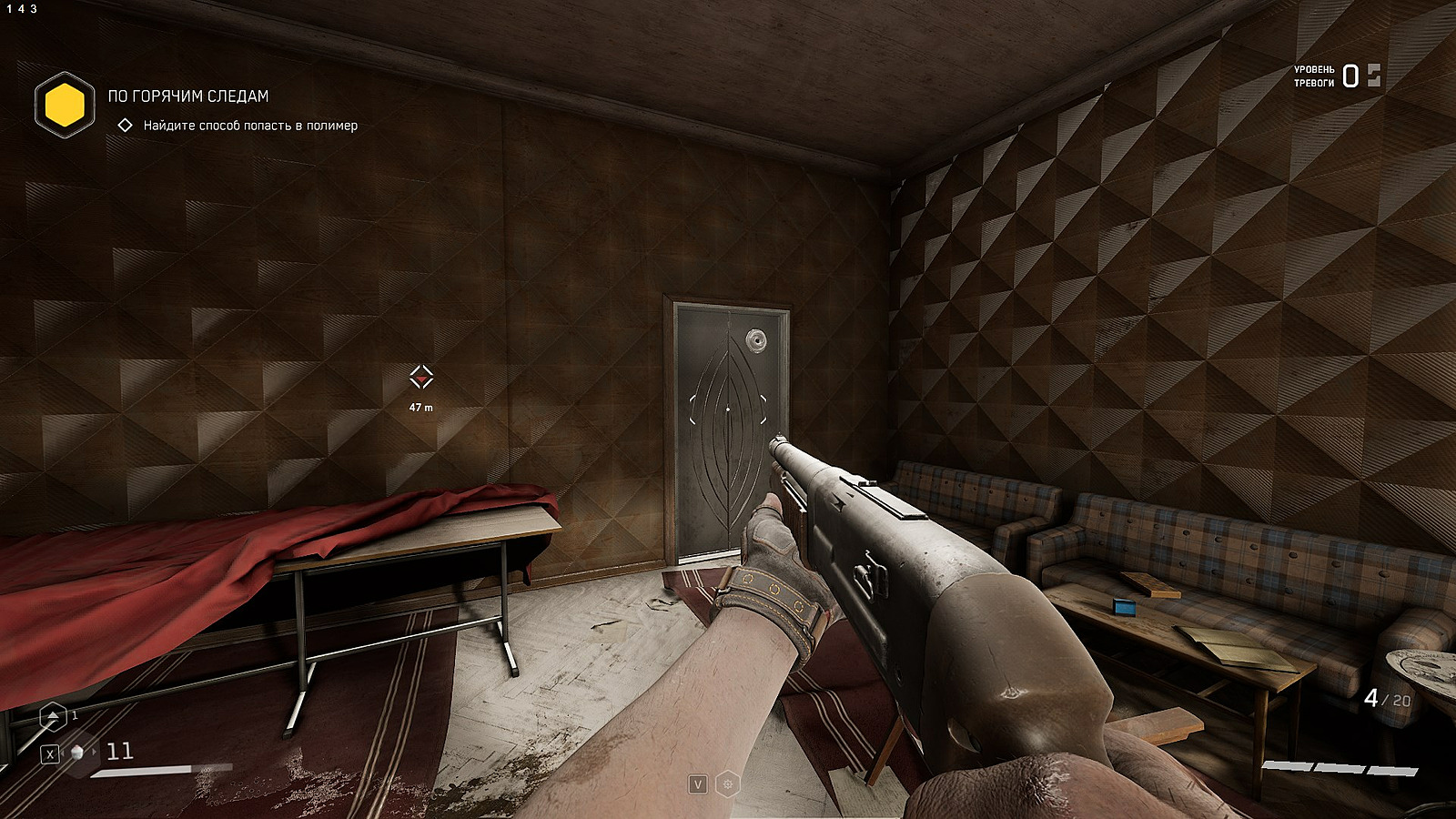
The installation process follows these essential steps:
- Navigate to the official website, acquire the software package, and complete the installation procedure
- Upon initial execution, Flawless Widescreen automatically performs system scanning to detect installed games, though this feature can be disabled in preferences if desired
- Locate Atomic Heart within the application’s game library, which triggers automatic plugin installation for the title
- Adjust FOV settings ranging from the default 0% up to 40% scaling. Should this adjustment cause HUD elements to shift uncomfortably toward screen edges, activate the “HUD Fix” option to maintain user interface components in optimal positions
- Initiate the game while Flawless Widescreen remains active. Should technical complications arise, simply terminate the software to restore default game behavior.
For optimal results, consider these advanced configuration strategies when setting up Flawless Widescreen with Atomic Heart. Begin with moderate FOV adjustments—starting around 20-25%—then gradually increase to your preferred setting while monitoring performance impact. Higher FOV values may affect frame rates on less powerful systems, so balance visual comfort with smooth gameplay performance.
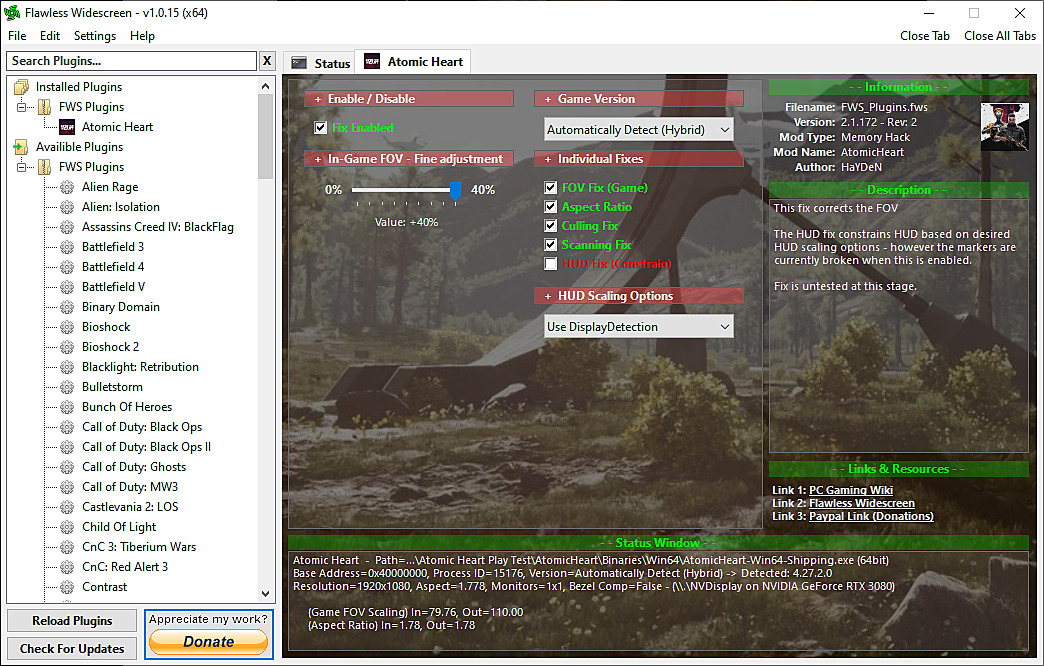
The FOV scaling system operates on a percentage basis, where 0% represents the game’s default field of view. Each incremental increase expands your peripheral vision, providing greater situational awareness during combat encounters. However, excessive FOV values (above 35%) can introduce visual distortion at screen edges, particularly noticeable during rapid camera movements.
When implementing the HUD Fix feature, test various in-game scenarios to ensure critical information—such as health indicators, ammunition counts, and objective markers—remains clearly visible and accessible. This becomes especially important during intense firefights where quick access to gameplay information can determine mission success or failure. For players interested in broader game optimization strategies, our Complete Guide offers comprehensive performance tuning techniques applicable across multiple titles.
Why there is no FOV slider in Atomic Heart
The development team’s decision to exclude FOV customization reflects a design philosophy prioritizing their intended visual experience over user-configurable options. While the base FOV may indeed be wider than some competitors, this approach overlooks the diverse hardware configurations and personal preferences within the player community. Many gamers require specific FOV settings to prevent motion sickness or to optimize their particular display setup.
Common technical challenges include launch failures when both applications run simultaneously, plugin detection issues, or conflicts with other system software. Should problems occur, restart both the game and Flawless Widescreen, ensuring the plugin loads correctly before launching Atomic Heart. For those encountering persistent issues, alternative approaches include exploring community-developed configuration edits or awaiting potential official patches addressing this limitation.
For players seeking to enhance their overall gaming proficiency, our Weapons Unlock guide provides valuable insights into equipment optimization that complements visual customization efforts. Additionally, understanding character capabilities through our Class Guide can help optimize gameplay strategy alongside visual adjustments.
How to turn on V-sync in Atomic Heart. Screen tearing fix for V-sync video settings bug
Action Checklist
- Download Flawless Widescreen from official website and install
- Configure software settings and install Atomic Heart plugin
- Adjust FOV scaling incrementally from 20% to preferred setting
- Activate HUD Fix option and test in various gameplay scenarios
- Launch game with Flawless Widescreen active and verify settings
No reproduction without permission:Game Guides » How to change FOV in Atomic Heart. Why there is no FOV slider in setting, how to set up Flawless Widescreen for ultrawide support Complete guide to adjusting Atomic Heart's FOV using Flawless Widescreen with troubleshooting tips