
TL;DR
- Monitor for unexpected password changes, unfamiliar watch history, or unknown devices on your account
- Immediately change passwords using strong, unique combinations and enable two-factor authentication
- Regularly check active sessions and watch history to spot unauthorized access patterns
- Contact Crunchyroll support immediately if you suspect your account has been compromised
- Implement ongoing security habits like password rotation and session management
The popular anime streaming platform Crunchyroll faced security concerns when reports emerged about potential account breaches. Security researchers noted that unauthorized individuals claimed access to user credentials and publicly shared login information for multiple premium accounts through social media channels. While these posts were subsequently removed, the incident raised legitimate security concerns among subscribers regarding potential data exposure.
In an official communication, Crunchyroll representatives stated they had addressed the security concerns and confirmed their internal systems remained secure throughout the incident.
“We became aware that authentication credentials for various streaming platforms, including Crunchyroll, were shared on social media platforms and have successfully resolved this situation,” explained a Crunchyroll spokesperson. “We’ve secured potentially affected accounts, conducted thorough investigations, and found no evidence indicating Crunchyroll’s infrastructure was breached. We strongly recommend subscribers use diverse passwords across services, update them regularly, and maintain strict confidentiality.”
If you’re concerned about your account’s security status, multiple protective measures exist beyond simple password changes. This comprehensive guide demonstrates how to modify your Crunchyroll password effectively and methods to verify whether unauthorized access has occurred. Additionally, we provide detailed guidance on identifying suspicious account activities.
While Crunchyroll hasn’t confirmed any platform-wide security breaches recently, several monitoring techniques can help you track account activity and identify potential compromises. These strategies benefit users concerned about specific security incidents or general account protection.
Key indicators suggesting possible account compromise include:
- Your login credentials or associated email address were altered without your authorization or knowledge.
- Unrecognized activity appears in your account history, including unfamiliar viewing patterns or unexpected profile modifications.
- Unknown devices appear in your connected devices list that you don’t recognize or authorize.
- Subscription changes or payment modifications occur without your consent.
- You receive unexpected password reset emails or verification requests.
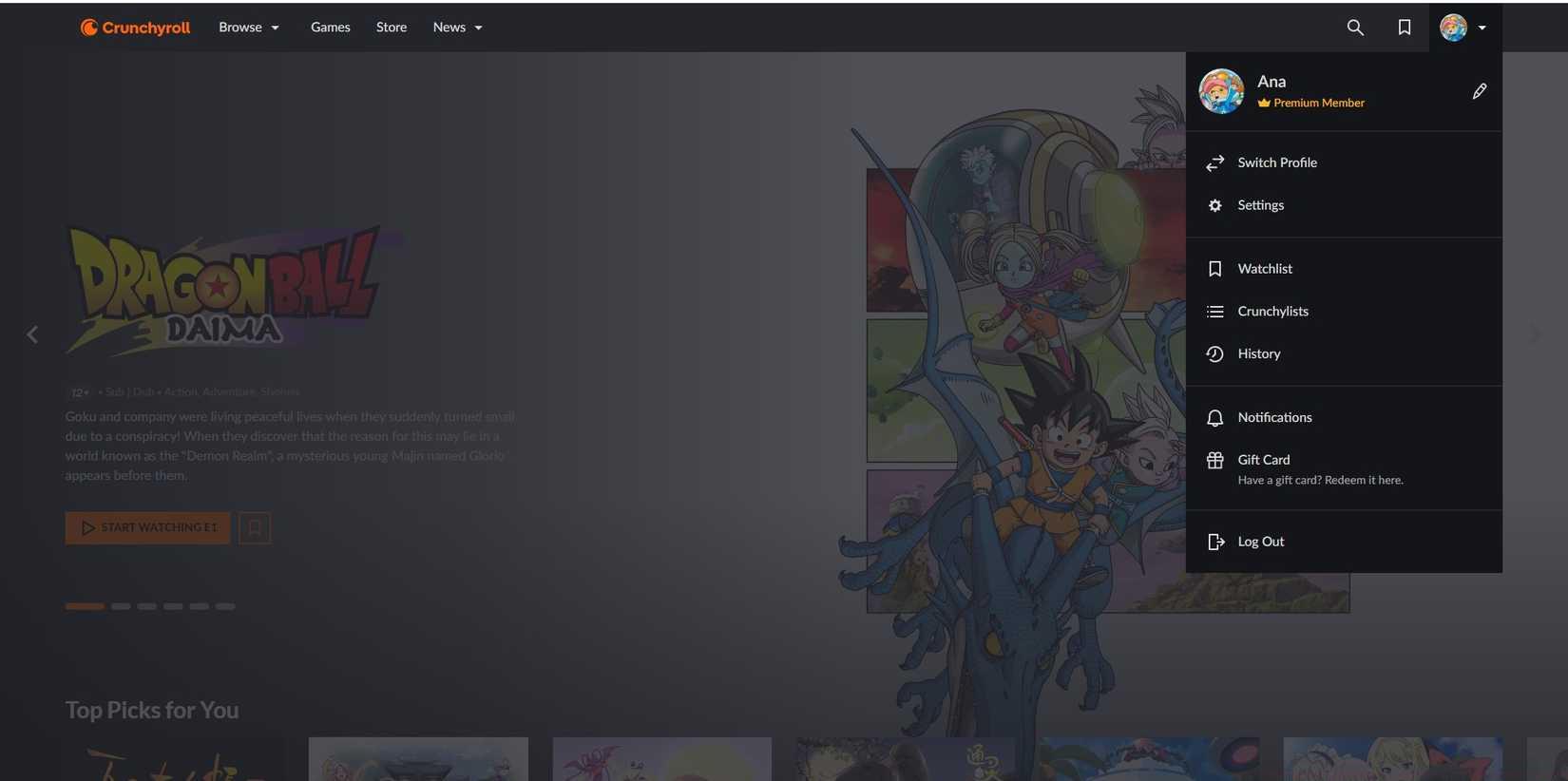
Image: Crunchyroll
When facing password modification challenges, many users encounter technical obstacles that prevent immediate changes. The platform’s security protocols sometimes temporarily restrict password updates during suspected breach investigations.
To effectively update your Crunchyroll password, navigate to your account settings through the official website or mobile application. Select the security section and locate the password change option. You’ll need to verify your current password before establishing a new one, which helps prevent unauthorized modifications.
For optimal security, create passwords incorporating uppercase and lowercase letters, numbers, and special characters. Avoid using personal information or common phrases that attackers could easily guess. Consider using a reputable password manager to generate and store complex, unique passwords for each service you use.
Beyond basic password changes, implement additional security layers like two-factor authentication when available. This requires secondary verification through email or authenticator apps, significantly enhancing account protection. Regularly review connected applications and revoke access for unused third-party integrations.
If you cannot access your account due to compromised credentials, utilize the “Forgot Password” feature immediately. This triggers email verification allowing you to reset credentials and regain control. Monitor associated email accounts for suspicious activity, as attackers often target email first to intercept reset notifications.
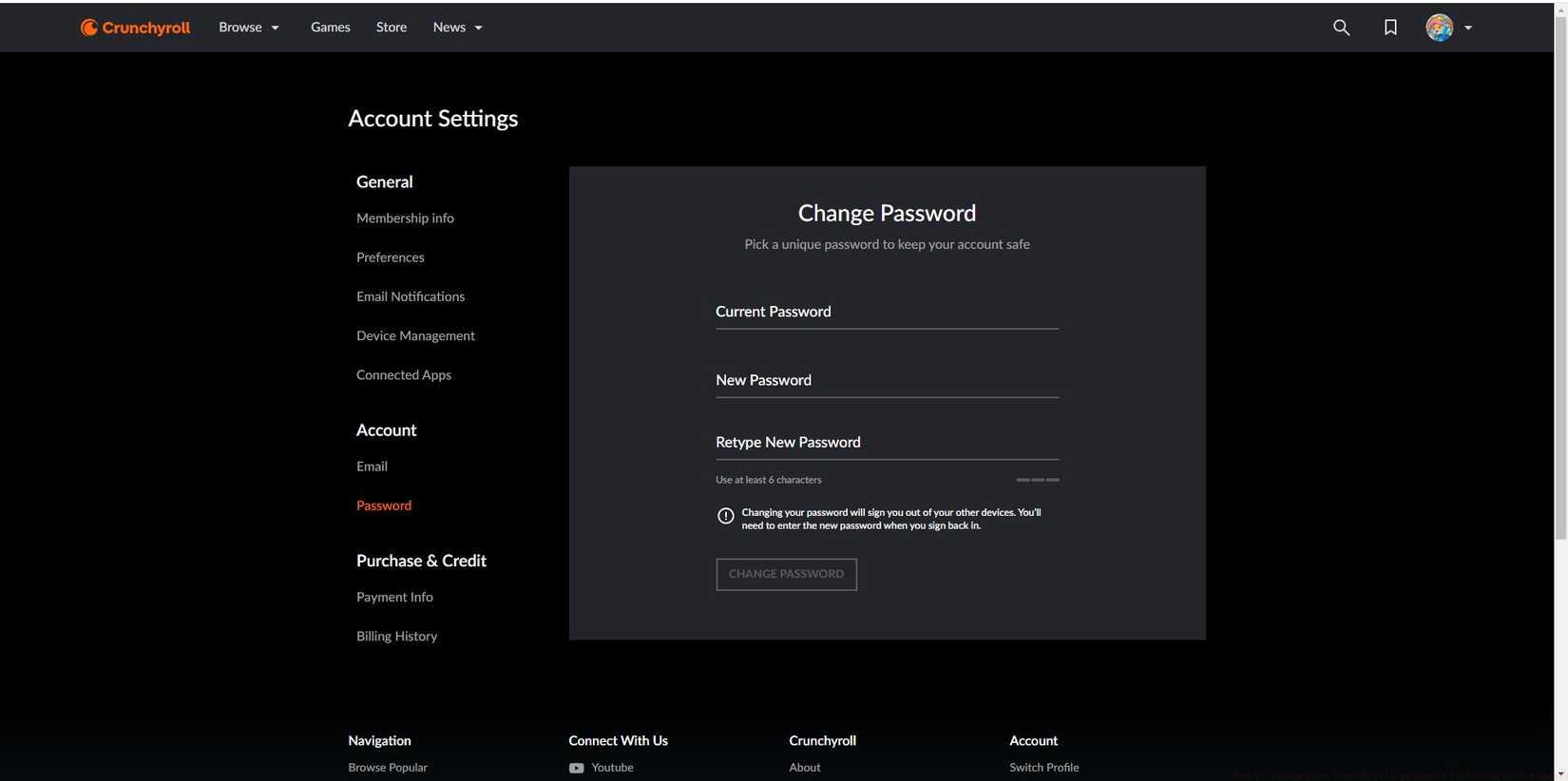
Image: Crunchyroll
Proactive monitoring represents your most effective defense against ongoing unauthorized access. Regularly examine your watch history for content you haven’t viewed, particularly recently added series or episodes marked as watched without your knowledge. Pay special attention to viewing times that coincide with periods you weren’t actively using the service.
Crunchyroll’s account management interface allows you to review active streaming sessions and connected devices. Check this section regularly to identify unfamiliar devices, locations, or simultaneous streams that might indicate shared credentials. Terminate suspicious sessions immediately and change your password to prevent continued access.
Monitor your account’s queue and favorites for unexpected additions or removals. Intruders sometimes modify these lists according to their preferences, providing clear evidence of unauthorized access. Similarly, check subscription status and payment information for unauthorized upgrades, downgrades, or payment method changes.
Enable notification settings to receive alerts about new sign-ins from unrecognized devices or locations. While not all streaming services offer this feature, when available, it provides immediate awareness of potential security issues. Combine this with regular password updates every 60-90 days as part of comprehensive account hygiene.
If you identify confirmed unauthorized access, immediately change all related passwords, including your associated email account. Contact Crunchyroll support to report the incident and request additional security measures. Consider checking security best practices for broader digital protection strategies applicable across multiple platforms.
Action Checklist
- Immediately change your Crunchyroll password using a strong, unique combination
- Review watch history and remove any unfamiliar viewed content
- Check active sessions and log out all unknown devices
- Enable two-factor authentication if available
- Monitor account for suspicious activity over next 30 days
No reproduction without permission:Game Guides » How to change your Crunchyroll password following hack reports Essential security guide to detect and prevent Crunchyroll account breaches with actionable protection steps