
TL;DR
- The error occurs when loading instances and crashes PoE 2 during city transitions
- Switch server regions via main menu or select new instances using Ctrl+waypoint method
- Monitor server maintenance status and verify game files for comprehensive resolution
- Update 0.2.0 introduced Huntress class and new content, potentially causing compatibility issues
- Implement performance optimizations and temporary workarounds while awaiting official patch
Games and Esports Articles
Following the deployment of Path of Exile 2’s 0.2.0 Dawn of the Hunt update, numerous players have reported encountering disruptive technical issues. Among these problems, the “Unknown object type serialized by server” error stands out as particularly frustrating for the gaming community. This comprehensive guide explores effective troubleshooting methods and practical solutions to restore your gameplay experience.
This critical error significantly impacts gameplay by causing complete game crashes during instance loading sequences. Based on extensive player reports, the “Unknown object type serialized by the server” message typically appears when attempting to return to hub cities or transition between major zones. The error represents a server-client synchronization failure where the game client cannot properly interpret data structures transmitted from the game servers.
One reliable solution involves changing your connection region through the game’s interface. Access this option from the main menu located in the top-right navigation panel. Selecting a different geographical region can bypass problematic server instances that trigger the serialization error.
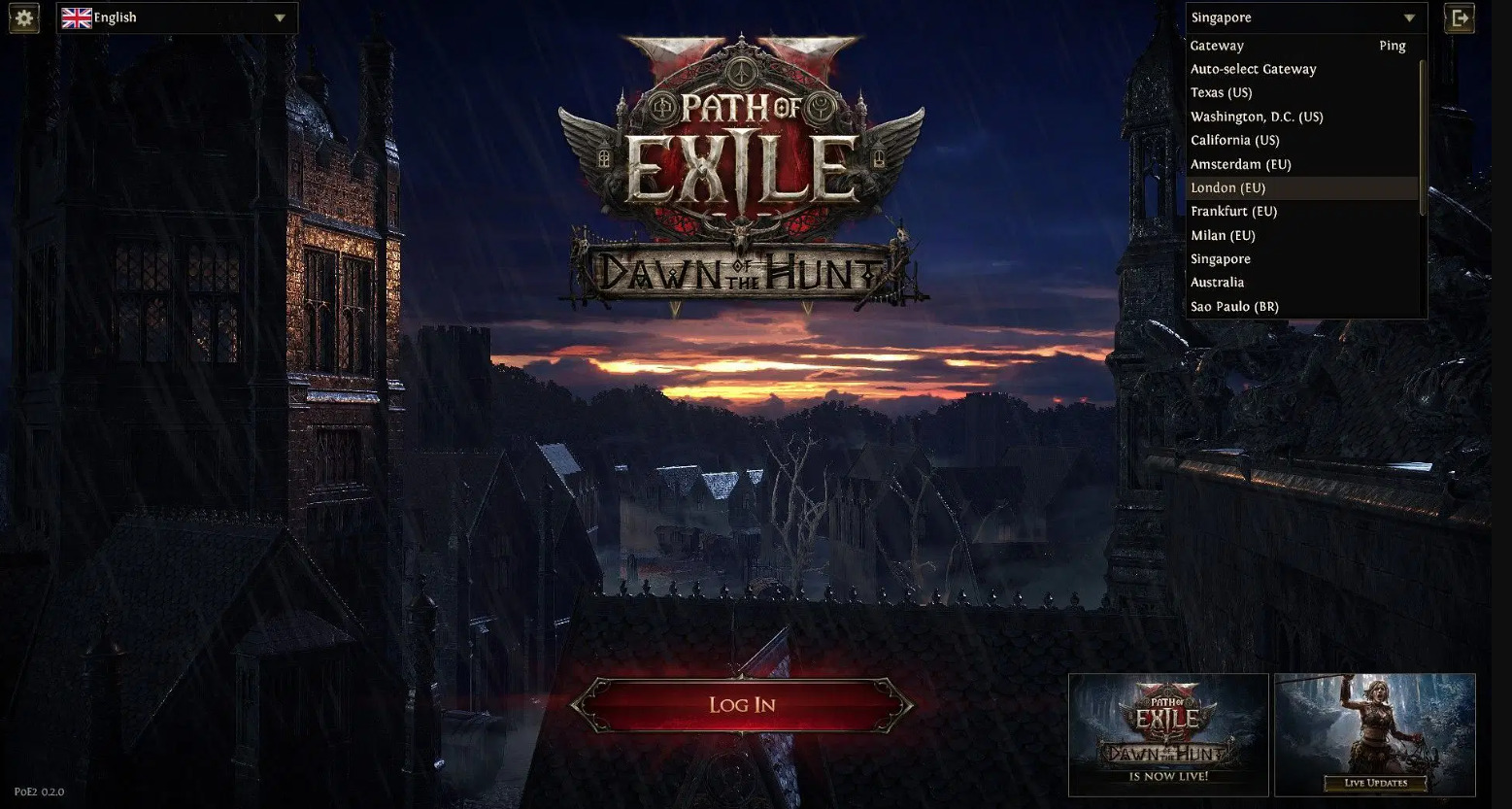
An alternative approach focuses on instance management within your current region. Navigate to any waypoint marker on the game world and activate it while holding the Control key. This action displays all available instances within your regional server cluster. Choose the “New” option to generate a fresh instance that may resolve the object serialization conflict.
For persistent cases, consider these additional strategies: restart your game client completely, clear temporary game cache files, or temporarily disable any third-party overlays that might interfere with data transmission. These methods work similarly to optimization techniques discussed in our Complete Guide for stable gaming performance.
Monitor official server status through Path of Exile’s website and community channels. The development team has acknowledged these issues and is conducting server maintenance to address the underlying causes. Regular maintenance periods often resolve such synchronization problems without requiring player intervention.
Perform game file verification through your client to ensure all game assets are properly synchronized. Corrupted or outdated game files can exacerbate serialization errors during instance loading sequences. This verification process ensures your local game data matches the server’s expected structure format.
Optimize your game’s performance settings by reducing texture quality and disabling non-essential visual effects temporarily. These adjustments minimize data processing demands during critical loading phases, similar to optimization approaches for Weapons Unlock systems in other games.
The Dawn of the Hunt expansion for Path of Exile 2 introduced the Huntress character class, three distinct Ascendancy specializations, numerous ability enhancements, and exclusive unique equipment. The complete modification catalog for version 0.2.0 is available on the official Path of Exile portal. Current server infrastructure is undergoing systematic improvements, suggesting the technical bug will likely be resolved in upcoming patches.
When Druid will be added to PoE2. Will Druid be released in patch 0.2 in Path of Exile 2
Druid release date in PoE 2.
Understanding class mechanics and proper character selection can help avoid compatibility issues, much like the strategic approaches in our Class Guide for optimal gameplay. Stay informed through official announcements for permanent resolution timelines.
Action Checklist
- Change server region via main menu top-right corner
- Create new instance using Ctrl+click on waypoint
- Verify game files through client and clear temporary cache
- Monitor official server status and maintenance announcements
- Optimize graphics settings and disable conflicting overlays
No reproduction without permission:Game Guides » How to fix crashing at “Unknown object type serialized by server” error/bug in PoE 2 Comprehensive guide to fix PoE 2's Unknown object type serialized by server error with proven solutions