
TL;DR
- Starfield’s modding community already offers nude/NSFW modifications through Nexus Mods
- Two main versions exist: ‘Barbie and Ken’ (non-explicit) and detailed anatomical versions
- Installation requires Nexus Mods account and either Mod Manager or manual activation
- Always backup game files before installing any modifications
- Monitor mod compatibility and performance impact after installation
Games and Esports Articles
Starfield, Bethesda’s ambitious space exploration RPG, continues the studio’s tradition of robust modding support. Even before its official launch, creative modders began developing various enhancements, with adult-oriented modifications being among the earliest releases. While the current selection remains limited compared to established titles like Skyrim, the foundation is clearly laid for a thriving modding ecosystem.
The emergence of these modifications so early demonstrates the community’s enthusiasm and the game’s potential for customization. However, players should approach NSFW content with appropriate caution and understanding of both technical requirements and personal preferences.
Installing NSFW mods for Starfield
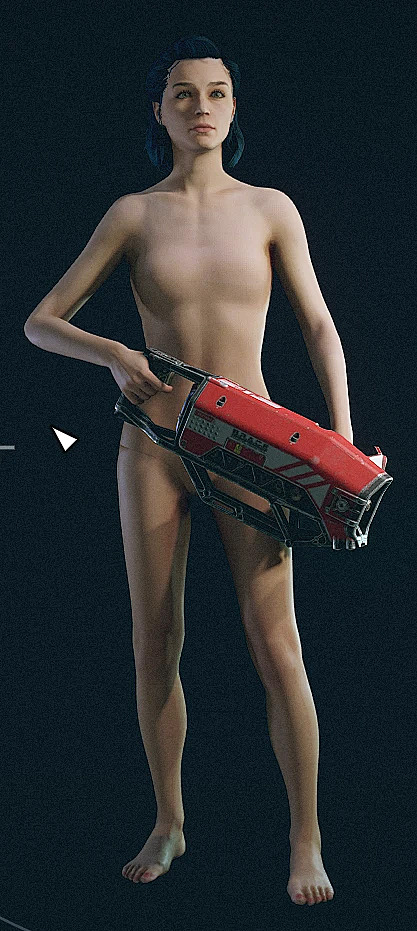
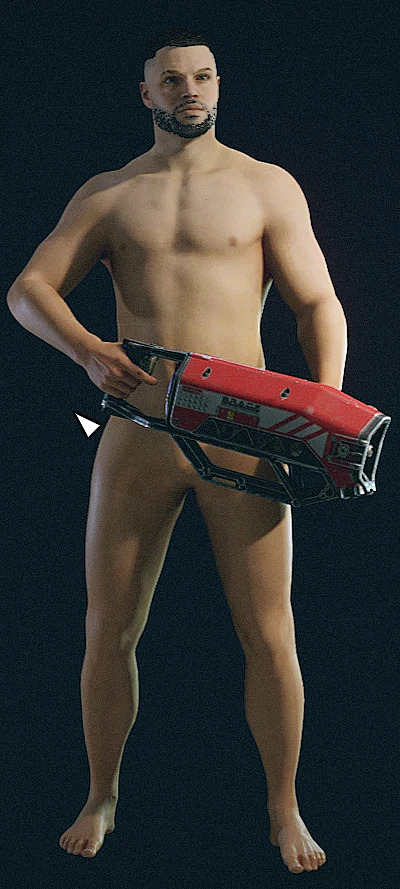
The Nexus Mods platform serves as the primary hub for Starfield modifications, hosting various user-created content including adult-oriented mods. Among the earliest releases is the “Naked Starfield Wanderers” modification, which offers different versions to suit player preferences. The Barbie and Ken variant provides a non-explicit approach featuring smooth anatomical models without detailed features, making it suitable for players seeking minimal nudity. For those desiring more realism, an alternative version includes enhanced anatomical details.
Before proceeding with installation, consider several important factors: ensure your game version matches the mod requirements, understand potential conflicts with other modifications, and be aware that future game updates may break compatibility. Additionally, always verify the credibility of mod authors and read user reviews to avoid potential security risks.
How to turn on DLSS 2.0 in Starfield. Where to download free DLSS 3.0 mod for Starfield to improve performance
To successfully install Starfield modifications, begin by creating a free account on Nexusmods.com. Once registered, navigate to your desired mod page and carefully review the installation instructions provided by the creator. You have two primary installation methods: utilizing the Nexus Mod Manager for automated handling or performing manual installation through file extraction and placement.
For manual installation, download the mod files, extract them using a program like 7-Zip or WinRAR, and place the contents in your Starfield Data folder (typically located at SteamApps/common/Starfield/Data). Always create a backup of your game files before modification to prevent irreversible changes. After installation, launch the game to verify proper functionality and check for any visual anomalies or performance issues.
Action Checklist
Action Checklist:
1. Create Nexus Mods account (Time: 2 minutes, Difficulty: Easy)
2. Backup Starfield game files (Time: 5 minutes, Difficulty: Easy)
3. Download desired NSFW mod from Nexus Mods (Time: 1-5 minutes, Difficulty: Easy)
4. Choose installation method: Mod Manager or Manual (Time: 2 minutes, Difficulty: Easy)
5. Install mod following creator instructions (Time: 5-10 minutes, Difficulty: Medium)
6. Launch game and test functionality (Time: 3 minutes, Difficulty: Easy)
7. Monitor performance and visual changes (Time: Ongoing, Difficulty: Easy)
8. Document any issues for troubleshooting (Time: 2 minutes, Difficulty: Easy)
No reproduction without permission:Game Guides » How to get nude mod in Starfield. Adult NSFW mods for Starfield Complete guide to safely installing and managing Starfield adult mods