
TL;DR
- Download the standalone client from the official Tower of Fantasy website for immediate PC access
- Pre-load the game client before server launch to ensure instant access at release time
- Optimize graphics settings for smooth performance on various PC hardware configurations
- Prepare for future Steam/Epic Games Store integration coming in Q4 2022
- Use performance monitoring tools to maintain stable frame rates during gameplay
Games and Esports Articles
Tower of Fantasy represents Hotta Studio’s ambitious entry into the open-world anime MMORPG genre, initially targeting mobile platforms while offering simultaneous PC accessibility. This dual-platform approach provides players with flexibility in how they experience the game’s expansive sci-fi world and combat systems.
The developers have implemented a strategic platform rollout where PC gamers can immediately access the title through a dedicated standalone client. This approach ensures early adopters aren’t limited by platform restrictions while the team prepares for broader distribution through major digital storefronts later in the year.
Gaining access to Tower of Fantasy on your desktop requires downloading the official game client directly from the developer’s website. This method guarantees you receive the most current version with optimal security and performance characteristics tailored for PC hardware.
Pre-load functionality represents a significant advantage for eager players. By downloading the complete game files before servers activate, you eliminate installation delays at launch. The countdown timer provides precise timing information, allowing strategic planning for when the gaming experience begins. At publication, this indicated approximately 11.5 hours until server activation on August 11th at midnight UTC.
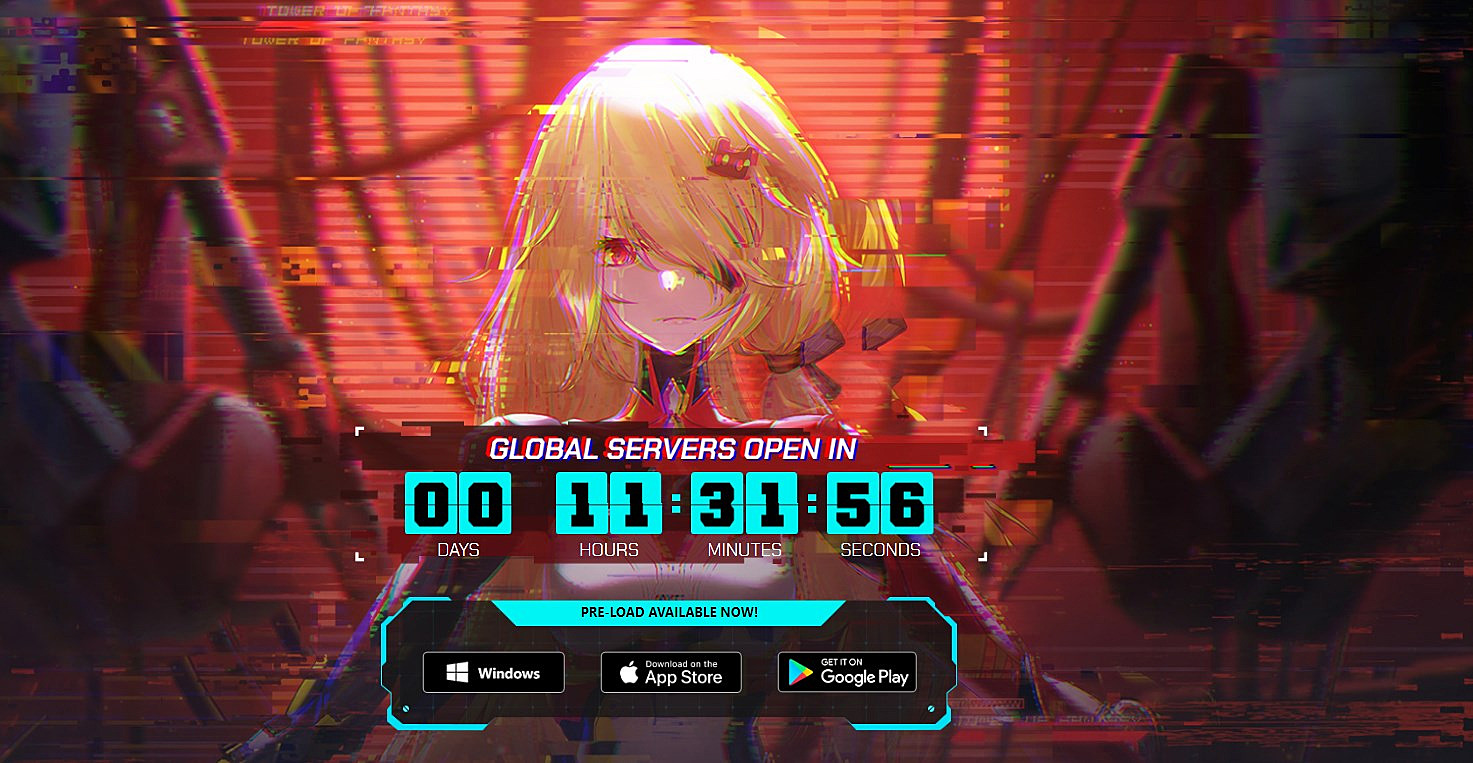
Many players make the mistake of waiting until the last minute to begin the download process, resulting in potential server congestion and delayed access. Instead, initiate your client download during off-peak hours to ensure faster transfer speeds and complete installation well before the official launch window.
To achieve optimal performance on your gaming rig, consider these essential optimization strategies. The game’s anime-inspired visuals can be demanding on certain hardware configurations, making proper settings adjustment crucial for smooth gameplay.
For budget systems, prioritize frame rate stability over visual fidelity by reducing shadow quality, post-processing effects, and environmental detail. Mid-range PCs should balance settings for both visual appeal and performance, while high-end rigs can maximize all graphical options for the most immersive experience.

Common performance pitfalls include overlooking driver updates, background application interference, and improper resolution scaling. Always ensure your graphics drivers are current, close unnecessary background applications, and match your in-game resolution to your monitor’s native setting for the clearest image quality.
While Steam and Epic Games Store listings currently exist for Tower of Fantasy, these platforms won’t host the game until the final quarter of 2022. This staggered release strategy allows the development team to refine the PC experience before expanding to larger distribution networks.
The transition to major storefronts raises important questions about account migration and cross-platform progression. Based on similar MMORPG transitions, players should anticipate a straightforward account linking process that preserves all progression, inventory, and achievements when moving between platforms.
Strategic planning for this expansion involves monitoring official announcements for migration timelines and preparing your account information for the transfer process. This ensures a seamless transition when the game becomes available through your preferred digital storefront. For comprehensive gaming strategies across different titles, our Complete Guide provides valuable insights into optimizing your overall gaming experience.
Action Checklist
- Download the standalone client from the official Tower of Fantasy website
- Pre-load game files during off-peak hours to avoid congestion
- Update graphics drivers and optimize system settings for gaming performance
- Configure in-game graphics settings based on your hardware capabilities
- Monitor official channels for Steam/Epic Games Store integration updates
No reproduction without permission:Game Guides » How to play Tower of Fantasy on PC Complete PC installation guide with performance optimization tips and troubleshooting solutions