
TL;DR
- Kyousuke uses CSGO-8nb3d-Et6WE-QsF6B-V3E7j-WphrM crosshair code with 1.05 sensitivity at 800 DPI
- Professional crosshair settings provide excellent visibility without distracting from gameplay focus
- Manual configuration backup ensures settings persist through game updates and system changes
- Effective DPI of 840 offers precise control for both flick shots and tracking movements
- Regular practice with these settings builds muscle memory for competitive performance
Games and Esports Articles CS 2
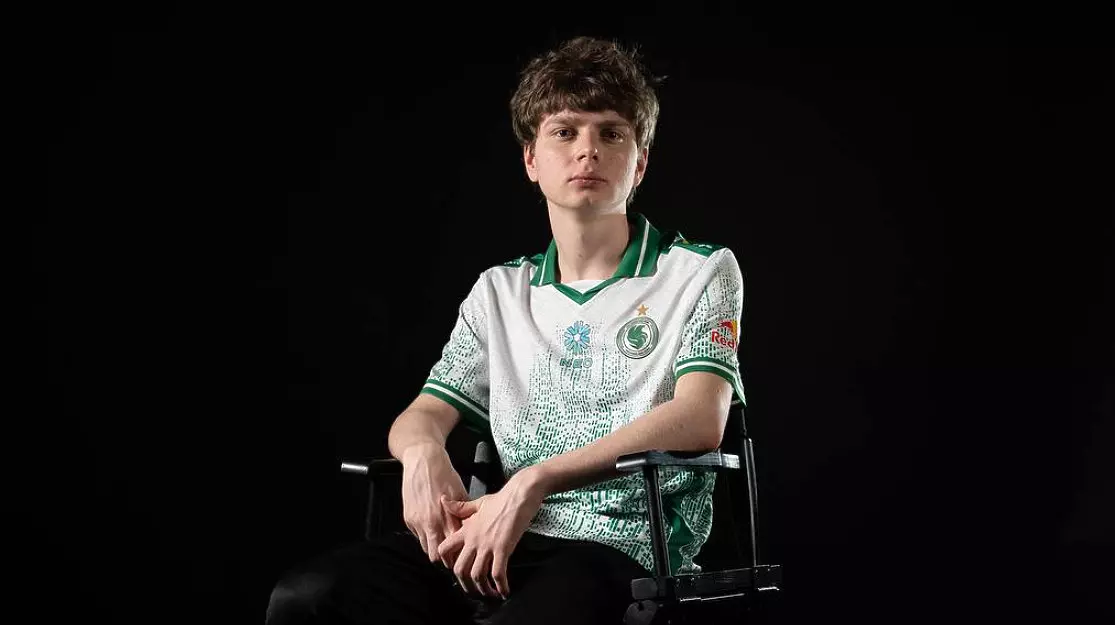
Maxim “kyousuke” Lukin, also known by his alternate alias CEMEN_BAKIN, completed his transition from Team Spirit Academy to the prestigious Team Falcons roster in June 2025. This emerging Counter-Strike 2 talent has recently disclosed his complete competitive configuration, offering valuable insights into the tools that power his rising career. Understanding professional player settings provides amateur competitors with benchmarks for optimizing their own gameplay experience.
Professional esports configurations like Kyousuke’s represent carefully refined setups developed through thousands of hours of practice. These settings balance precision, visibility, and comfort to maximize performance during high-pressure competitive matches. Many aspiring players study professional configurations to accelerate their own skill development and understand the relationship between technical settings and in-game performance.
Falcons Kyousuke’s crosshair code in CS2
- CSGO-8nb3d-Et6WE-QsF6B-V3E7j-WphrM
Kyousuke’s crosshair configuration employs a balanced design that prioritizes target acquisition without visual distraction. The specific code generates a medium-sized crosshair with optimal contrast against most map environments. This setup reduces eye strain during extended practice sessions while maintaining clear visibility for precise shot placement.
The visual characteristics include a defined center gap that prevents obscuring distant targets, combined with appropriate thickness for quick peripheral recognition. Professional players typically avoid extreme crosshair styles that can interfere with tracking moving enemies or aligning long-range shots.
“Kyousuke will undoubtedly become a tier-1 player.” Team Spirit analyst reacts to Falcons transfer
Falcons Kyousuke’s mouse settings in CS2
- Sensitivity – 1.05
- DPI – 800
Kyousuke’s mouse configuration utilizes a 1.05 in-game sensitivity combined with 800 DPI, resulting in an effective DPI of 840. This sensitivity range falls within the preferred spectrum for professional AWPers and riflers who require both precise micro-adjustments and responsive flick shots.
The effective DPI calculation (sensitivity × DPI) determines your actual cursor movement speed. Lower effective DPI values (400-1600) generally provide better control for precision-based playstyles, while higher values may benefit entry fraggers requiring rapid turns. Understanding your personal sensitivity preferences helps optimize performance across different combat scenarios.
Professional players often experiment with sensitivity settings during their early career before settling on a configuration that matches their physical mechanics and playstyle. Consistency in mouse settings builds muscle memory that translates to improved aim under pressure.
How to install the kyousuke’s crosshair in CS2
- Import the crosshair code. To do this, go to CS2 and go to the game settings.
- Select the “Game” and “Crosshair” tabs, click on the “Share / import” line, paste the crosshair code, and press the “Import” button.
- The settings must be specified manually in the “crosshair” tab.
Begin the installation process by launching Counter-Strike 2 and accessing the settings menu through the main interface. Navigate specifically to the crosshair subsection where import functionality resides. Many players encounter issues when attempting to import codes while in a match; ensure you’re in the main menu for proper functionality.
For manual configuration backup, document all crosshair parameters in case the imported settings don’t match expectations. Some systems may require additional configuration steps depending on your hardware setup and display resolution. Understanding configuration principles helps troubleshoot any installation difficulties.
Common installation mistakes include incorrect code pasting, attempting imports during active gameplay, or having conflicting custom bindings that override crosshair settings. Always verify your configuration matches the intended setup before beginning competitive matches.
Beyond simply copying professional settings, understanding how to adapt them to your personal setup significantly improves results. Consider your monitor size, resolution, and personal reaction time when evaluating whether Kyousuke’s configuration suits your needs. Many players benefit from slight sensitivity adjustments based on their physical setup and playstyle preferences.
Practice drills should focus on both flick shots and tracking movements to build comprehensive aiming skills. Start with stationary targets before progressing to moving bots, then advance to deathmatch against human opponents. This progressive approach develops muscle memory while adapting to the new sensitivity range.
Performance monitoring involves tracking your accuracy statistics across multiple sessions. Use community maps like Yprac or Aim Lab to quantitatively measure improvement with the new settings. Understanding progressive skill development ensures continuous improvement rather than immediate mastery.
Donk’s stats from American FPL: Only 13 out of all players got positive KD against him
Regular configuration reviews help identify when settings need adjustment due to game updates, hardware changes, or evolving playstyle requirements. Professional players typically revisit their configurations quarterly to ensure optimal performance as meta strategies evolve.
Action Checklist
- Copy crosshair code CSGO-8nb3d-Et6WE-QsF6B-V3E7j-WphrM
- Configure mouse settings to 1.05 sensitivity and 800 DPI
- Practice flick shots in aim training maps for 15 minutes daily
- Monitor accuracy statistics and adjust sensitivity if needed
No reproduction without permission:Game Guides » Kyousuke’s crosshair and mouse sensitivity in 2025. How to install kyousuke’s CS2 settings Master Kyousuke's CS2 settings with expert analysis, installation guide, and performance optimization tips