
TL;DR
- Ctrl+Shift+C activates the cheat console with case-insensitive code entry
- Rosebud provides instant 1,000 Simoleons for rapid financial growth
- Use semicolons to chain multiple cheats and exclamation points for repetition
- Build mode cheats enable advanced object placement and terrain editing
- Visual codes reveal hidden content like the Loch Ness monster Easter egg
These classic cheat codes represent a nostalgic journey back to the origins of life simulation gaming. The recent re-release through The Sims: Legacy Collection by Maxis Studios and Electronic Arts has revived interest in these foundational gameplay enhancements.
Cheat codes for The Sims 1 serve as essential tools for players seeking to accelerate their virtual household development and overcome gameplay limitations. With the official Windows PC re-release now available, mastering these retro codes becomes crucial for both veteran players and newcomers exploring the series’ roots.
Our comprehensive guide documents every verified working cheat within The Sims: Legacy Collection environment, complete with functionality descriptions and practical application techniques. For players expanding their Legacy Collection experience, we recommend consulting our specialized Weapons Unlock guide for additional gaming insights.
Important verification note: Multiple historically documented cheat codes from the original 2000 release, as cataloged by The Sims Wiki community, failed activation tests in the re-released version. During extensive testing, numerous code attempts generated consistent “No such cheat!” error messages. We will continuously update this resource as additional codes receive confirmation.
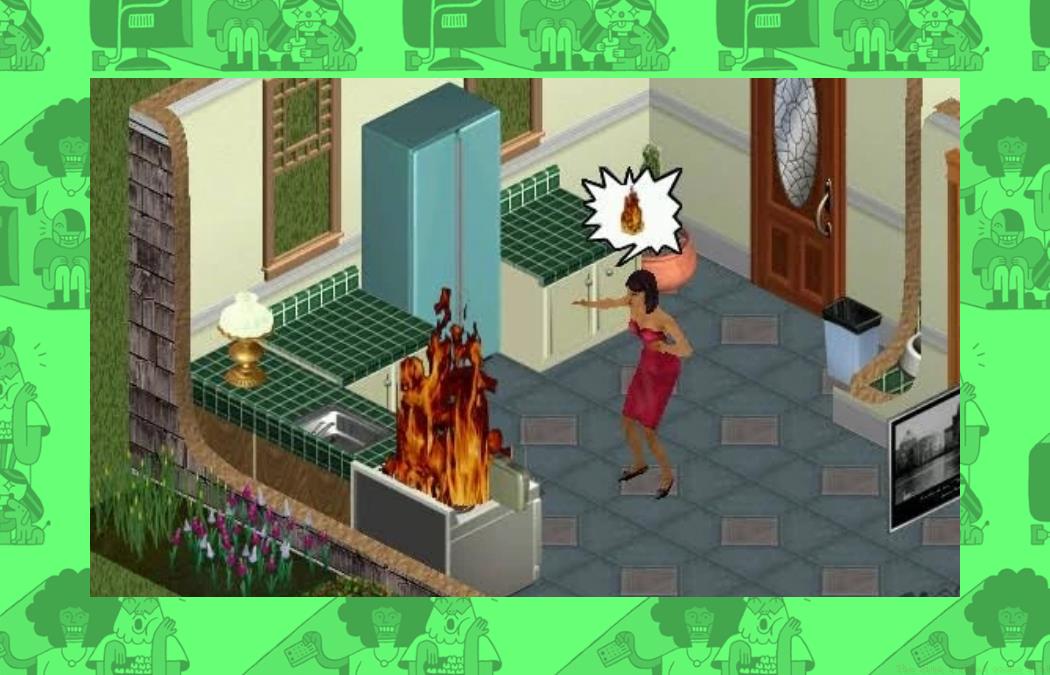
PC players must simultaneously press Ctrl+Shift+C to activate the command interface. This action summons a compact gray input bar positioned in the screen’s upper-left quadrant where code entry occurs. Input your desired cheat sequence and press Enter to execute the command while automatically closing the interface. Critical reminder: code recognition operates independently of capitalization standards.
The Sims incorporates several efficiency shortcuts that streamline cheat implementation. To duplicate your most recent cheat command, simply enter “!” (a solitary exclamation mark) to trigger automatic reloading of the previous code. The semicolon function enables batch processing of multiple cheats within a single entry sequence. For practical application, entering “rosebud; interests” would process both cheats consecutively. Always separate distinct codes using semicolons as delimiters.
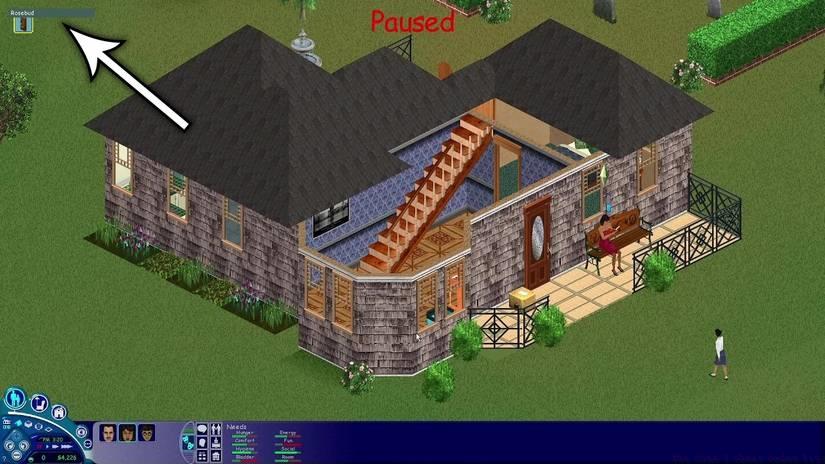
Image: Maxis/EA Games via Polygon
Pro Tip: Many players encounter activation failures by not ensuring the cheat console has proper focus before typing. Always watch for the blinking cursor in the gray command bar. Additionally, avoid rapid-fire code entry as the game engine may require 1-2 seconds to process each command, especially when chaining multiple cheats with semicolons.
If any single cheat code achieved legendary status among original Sims enthusiasts, it’s undoubtedly the financial empowerment code — “rosebud” — which immediately deposits 1,000 Simoleons into your household funds. This instant capital injection proves perfect for completing room decoration projects under deadline pressure or addressing urgent bill payments.
Advanced Financial Strategy: While rosebud provides immediate funds, sophisticated players combine multiple entries using the semicolon technique for substantial wealth accumulation. However, excessive money injection can diminish gameplay challenge. Consider limiting rosebud usage to specific scenarios like emergency bill payments or essential furniture purchases rather than constant wealth accumulation.
For players managing complex virtual economies, our Complete Guide offers additional resource management strategies that translate well to Sims household budgeting. The key is balancing cheat-enabled convenience with maintaining engaging gameplay progression.
These gameplay manipulation codes provide unprecedented control over your Sims’ behavioral patterns and environmental conditions.
|
Code |
Effect |
|---|---|
|
autonomy [1-1000] |
Adjusts your Sim’s independent decision-making capability |
|
set_hour [1-24] |
Manipulates the current time of day |
The autonomy cheat deserves special attention: values below 100 significantly reduce independent actions, making Sims more dependent on player commands. Values above 500 create highly autonomous Sims who may pursue unexpected activities. The set_hour code enables precise time skipping for managing work schedules, social events, or simply accelerating through nighttime hours.
Expert Tip: Use autonomy adjustments strategically when managing multiple Sims simultaneously. Lower autonomy helps maintain control during complex multi-character scenarios, while higher settings create more dynamic, unpredictable household environments. Always note your original autonomy setting before modifications for easy restoration.
Construction and architectural codes unlock advanced building capabilities beyond standard mode limitations.
|
Code |
Effect |
|---|---|
|
move_objects [On/Off] |
Enables unrestricted object dragging and placement |
|
map_edit [On/Off] |
Toggles terrain editing capabilities |
|
draw_floorable [On/Off] |
Controls floor grid visibility |
|
Disable and enable the map editor |
Repairs all broken objects on the property |
The move_objects code represents perhaps the most powerful building tool, allowing placement of objects in normally restricted locations. This enables creative architectural designs and space optimization impossible in standard mode. However, improperly placed objects may cause pathfinding issues for Sims, so always test room navigation after using this cheat.
Professional Builder Advice: Combine map_edit with draw_floorable for precision terrain manipulation. The floor grid visibility helps maintain alignment during complex landscaping projects. For players exploring advanced construction techniques, our Class Guide provides additional strategic planning frameworks applicable to Sims architectural projects.
Visual modification codes and hidden content unlocks provide alternative gameplay perspectives and recreational discoveries.
|
Code |
Effect |
|---|---|
|
interests |
Displays your active Sim’s personal interest profile |
|
rotation [0-3] |
Adjusts camera perspective orientation |
|
Nessie |
Reveals the legendary Loch Ness monster in neighborhood view |
The interests code provides valuable personality insights for relationship building and career selection. Camera rotation offers alternative viewing angles for precise object placement or screenshot composition. The Nessie Easter egg represents one of the game’s most beloved hidden features, paying homage to simulation gaming history.
Visual Optimization: Use rotation [0-3] to find the perfect angle for architectural photography of your creations. The Nessie code works only in neighborhood view mode and may require scrolling to water areas for optimal visibility. These visual cheats enhance gameplay without affecting simulation mechanics, making them ideal for players seeking aesthetic customization.
Action Checklist
- Activate cheat console using Ctrl+Shift+C combination
- Test basic money cheat with ‘rosebud’ for 1,000 Simoleons
- Practice cheat chaining using semicolons for multiple codes
- Experiment with build mode cheats for advanced construction
- Explore visual cheats and Easter eggs like Nessie discovery
No reproduction without permission:Game Guides » The Sims 1 cheat codes list Master The Sims 1 Legacy Collection with verified cheat codes and expert gameplay strategies