
TL;DR
- Error 2618 indicates both server and queue capacity are completely full
- Immediately switch to less populated servers or wait during off-peak hours
- Monitor server status through community tools and official channels
- Plan character creation on multiple servers for backup options
- Optimize connection settings to reduce login attempt failures
Games and Esports Articles
Tower of Fantasy represents Hotta Studio’s ambitious entry into the anime MMORPG landscape, delivering cross-platform accessibility across PC, iOS, and Android devices. The global launch on August 11 encountered typical MMO growing pains, with server infrastructure struggling under massive player demand. These technical challenges highlight the importance of understanding server mechanics for optimal gaming experience.
This immersive post-apocalyptic adventure combines expansive open-world exploration with intricate puzzle-solving mechanics and dynamic combat systems. Players can engage in both PvE content and competitive PvP battles, supported by one of the most comprehensive character customization systems in modern MMORPGs. The depth of personalization options makes server selection particularly crucial for long-term enjoyment.
Massively multiplayer online launches consistently attract overwhelming participation, creating server congestion and various technical obstacles. The “Account (character) error: 2618” specifically manifests when attempting server entry after game initialization, representing a capacity limitation issue rather than individual account problems.
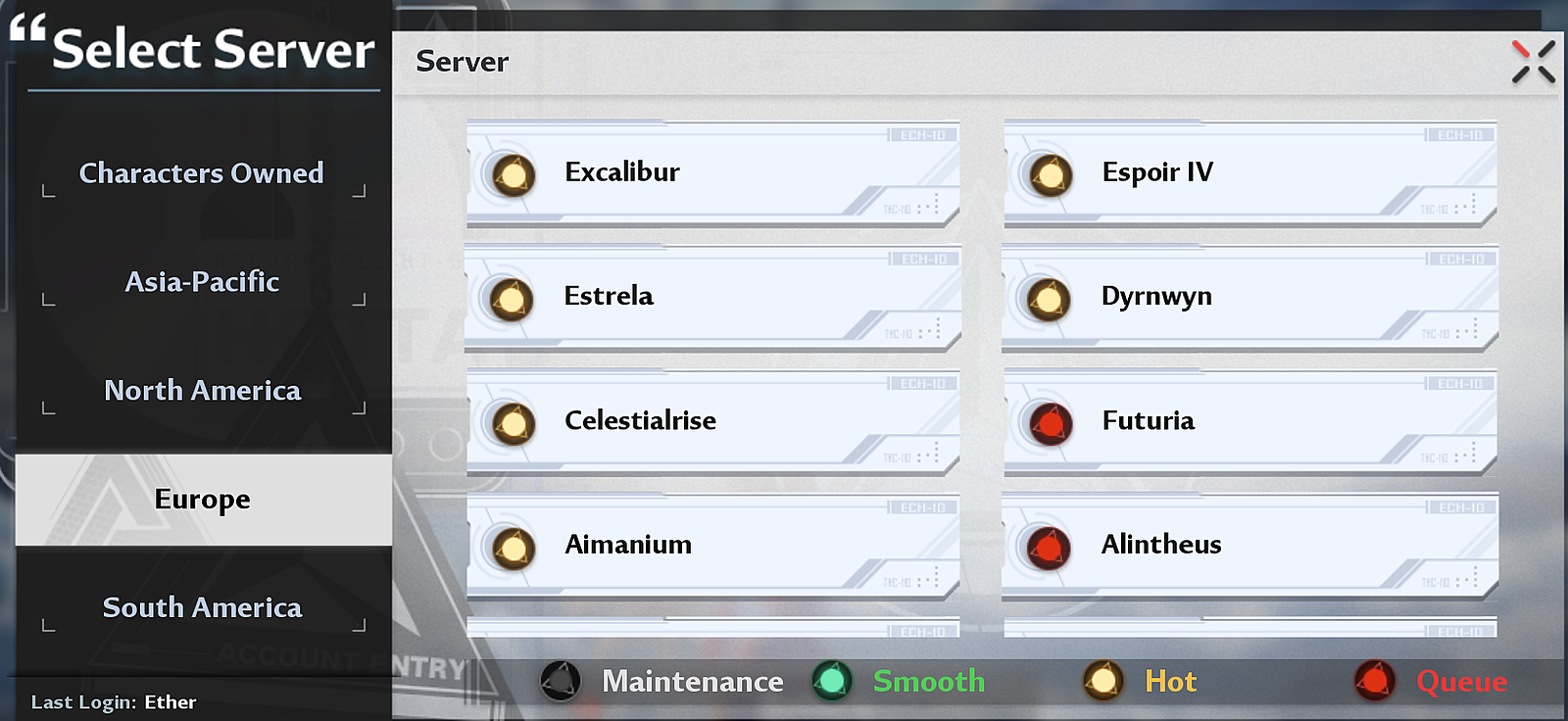
Error code 2618 signifies that targeted server capacity has reached absolute maximum, including the 3000-player queue system being completely occupied. This dual-layer limitation requires strategic decision-making between immediate server switching or patient queue waiting. Understanding server population dynamics becomes essential for successful access.
Server switching represents your most effective immediate solution. Begin by systematically checking servers with medium population indicators rather than completely empty ones, as these often have more reliable stability. Consider creating characters on 2-3 different servers during initial setup to guarantee access options. Peak traffic periods typically occur during evening hours in each region, making early morning or late night attempts more successful for queue avoidance.
Queue management requires patience and timing awareness. The 3000-player limit creates significant bottlenecks during content updates or weekend periods. Monitor official Tower of Fantasy social channels for server status updates and maintenance schedules. Many experienced players utilize community-developed server status tools that provide real-time population metrics across all available servers.
Strategic timing involves understanding global timezone patterns. European and North American servers experience distinct peak periods, allowing strategic switching between regions during off-hours. This approach requires considering potential latency issues but provides reliable access when local servers are overwhelmed.
Connection optimization plays a crucial role in error prevention. Ensure stable internet connectivity before login attempts, as connection interruptions during queue placement can trigger error recurrence. Consider using wired connections rather than WiFi for critical gaming sessions to minimize disruption risks during server transitions.
Long-term server planning involves researching community demographics and language preferences. Some servers develop specific community focuses—PvP concentration, role-playing communities, or casual gameplay emphasis. Joining servers aligned with your playstyle preferences enhances both accessibility and social experience.
Community resources provide invaluable support for navigating server challenges. Official Discord channels and Reddit communities offer real-time server status reports and population trends. Many veteran players share server recommendation lists based on stability history and community quality assessments.
Proactive monitoring of developer communications provides advance notice of planned maintenance or capacity expansions. Hotta Studio regularly implements server infrastructure improvements based on player population data and performance metrics.
For players interested in tactical gameplay across different genres, our Complete Guide offers comprehensive strategies for modern military shooters. Additionally, understanding character progression systems can enhance your overall gaming experience, as detailed in our Class Guide for specialized role mastery.
Action Checklist
- Check server population indicators and switch to medium-population alternatives
- Create backup characters on 2-3 different servers during initial setup
- Attempt login during off-peak hours (early morning or late night)
- Monitor official social channels and community server status tools
- Optimize internet connection stability and consider regional server alternatives
No reproduction without permission:Game Guides » How to fix account error 2618 in Tower of Fantasy Complete guide to resolving Tower of Fantasy error 2618 with server selection strategies and queue management