
TL;DR
- Split Fiction requires mandatory two-player cooperation across all game modes
- Local co-op supports guest accounts and offline play without internet connection
- Full crossplay available between PS5, Xbox Series X, and PC with EA Account
- Friend’s Pass lets one player invite friends without game ownership
- EA Account setup varies by platform but is essential for online features
What exactly makes the Friend’s Pass system work in practice?
Cooperative gameplay mechanics form the backbone of Split Fiction, a strictly two-player experience that explores creative collaboration through unexpected scenarios involving futuristic warriors and surreal character designs. Unlike traditional single-player narratives, this game demands constant partnership to progress.
In Hazelight Studios’ latest creation following their acclaimed It Takes Two, players embody authors Mio and Zoe, representing science-fiction and fantasy genres respectively. Their literary concepts materialize as interactive challenges when they’re transported into a digital simulation of their collective imagination, requiring coordinated problem-solving across diverse level types.
This guide covers three distinct multiplayer approaches for Split Fiction: shared-screen local play, internet-based online sessions, and the innovative Friend’s Pass system that expands accessibility.

Begin by choosing the “local play” selection from the main interface. Connect two compatible controllers, then designate which player controls Mio versus Zoe. The process is remarkably straightforward for immediate gameplay initiation.
Based on comprehensive Xbox platform testing, secondary participants can utilize temporary guest profiles—a feature notably absent from many contemporary local multiplayer titles. Additionally, local cooperative sessions function completely offline, eliminating internet dependency requirements that often hinder couch gaming experiences.
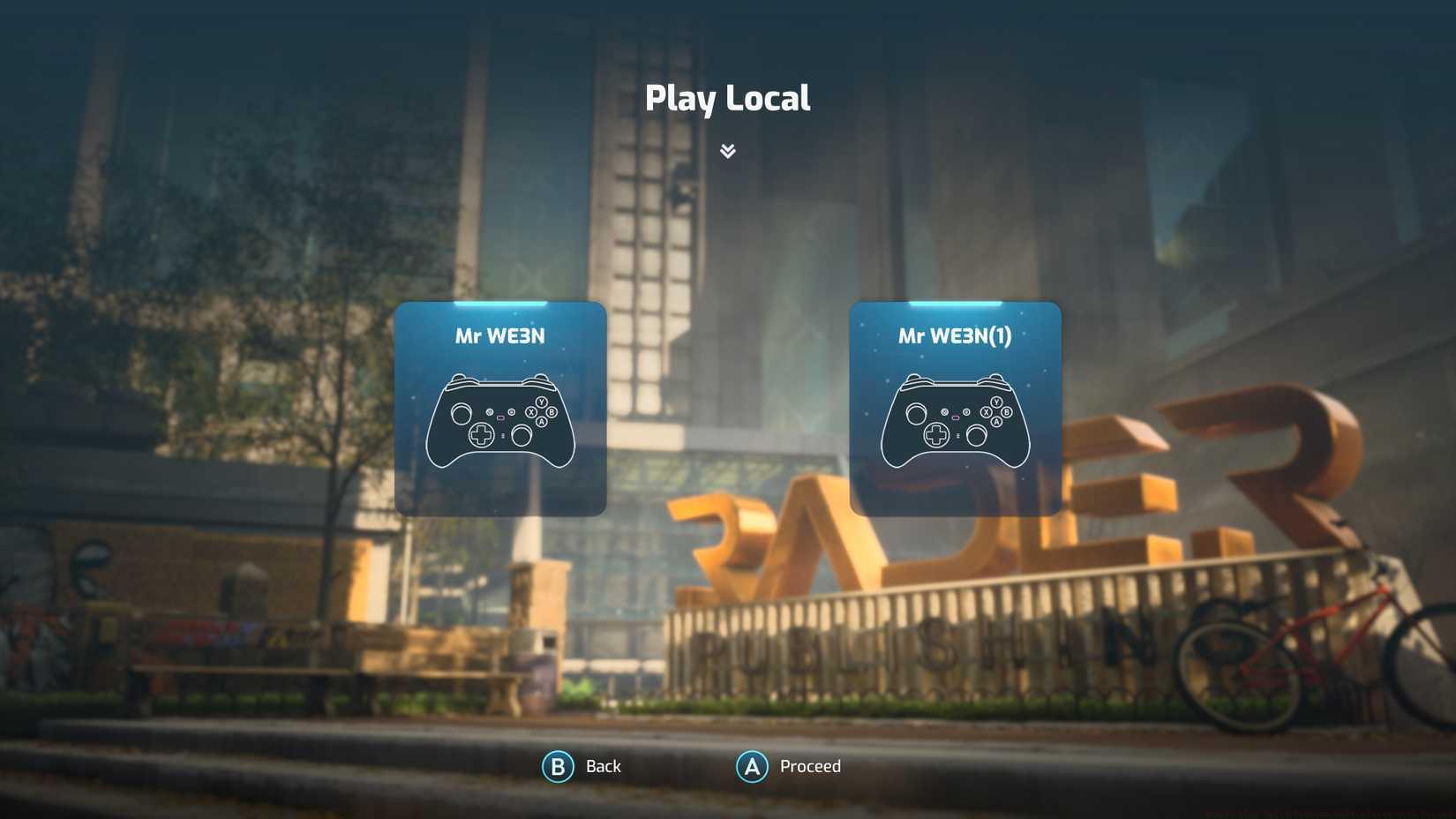
Image: Hazelight Studios/EA via Polygon
Pro Tip: For optimal local co-op, ensure both controllers are fully charged and consider assigning character preferences based on playstyle—Mio’s abilities often suit strategic players while Zoe’s toolkit appeals to aggressive approaches. Position seating to maintain clear screen visibility for both participants during intense puzzle sequences.
Initiate online sessions by selecting the “play online” menu option. On Xbox controllers, press Y to send invitations, choosing recipients from either your platform-specific friends list (Xbox, PlayStation, or PC) or connected EA Account contacts.
Split Fiction enables comprehensive cross-platform functionality connecting PlayStation 5, Windows computers, and Xbox Series X systems. To activate crossplay capabilities, verify that crossplay functionality remains enabled within the game’s configuration settings. You must also establish mutual EA Account friendships. If unavailable, add EA contacts directly through Split Fiction by accessing your EA Friends List, pressing Y (Xbox), and inputting your companion’s EA Account identifier displayed in the interface’s upper-right section.
During extensive multi-platform evaluation, we discovered inconsistent EA Account authentication requirements across different sessions. When EA Account creation becomes necessary—for crossplay or standard online play—you can establish one either within Split Fiction (or any Electronic Arts published title) or through the official EA mobile application.
Advanced Strategy: For smoother online sessions, test NAT type compatibility beforehand and consider wired internet connections to reduce latency during precision platforming sections. Coordinate voice chat through external apps if in-game communication proves unreliable, and establish session protocols for handling disconnections.
The Friend’s Pass system returns from It Takes Two, permitting cooperative online play between friends when only one person possesses the full game license. This innovative approach dramatically reduces barrier to entry for potential players curious about the experience before purchasing.
Implementation Process: The game owner initiates the session and invites their friend through standard online procedures. The invited participant downloads the free Friend’s Pass version from their platform’s store, which provides complete gameplay access when joining the host’s session. Progress saves for both players, ensuring no lost development when the friend eventually purchases the full game.
Common Pitfalls to Avoid: Ensure both players maintain stable internet connections throughout invitation process. Verify platform compatibility beforehand, as Friend’s Pass availability sometimes varies between digital storefronts. The host should confirm their game version matches the invitee’s region and platform requirements to prevent connection failures.
For players enjoying Split Fiction’s cooperative dynamics, our Class Guide provides similar team-based strategy insights that translate well to coordinated gameplay approaches in other titles.
Action Checklist
- Determine preferred play mode: local, online, or Friend’s Pass
- Setup controllers/platform accounts and test connectivity
- Configure crossplay settings and EA Account if needed
- Invite partner and verify connection stability
- Establish communication method and gameplay roles
No reproduction without permission:Game Guides » How to play Split Fiction multiplayer with friends Master Split Fiction's multiplayer modes with expert tips for local, online, and Friend's Pass co-op gameplay