
TL;DR
- Access CS2 Elo history through Steam’s hidden Major Pick’ems section or third-party Leetify platform
- Steam method requires navigating Profile → Games → CSGO → My Game Stats → Personal Game Data
- Divide Steam’s Score column numbers by 32,768 to get actual Elo values
- Leetify provides comprehensive match analytics but has temporary data accuracy issues
- Track performance trends weekly and focus on consistent improvement patterns
Games and Esports Articles CS 2
Understanding your CS2 Elo rating progression provides crucial insights into your competitive development. When you complete calibration in Premier mode matchmaking, tracking your rating evolution becomes essential for identifying improvement patterns and setting realistic skill goals. The system offers two primary tracking approaches: Valve’s native Steam interface and the third-party analytical platform Leetify, each delivering distinct advantages for serious players.
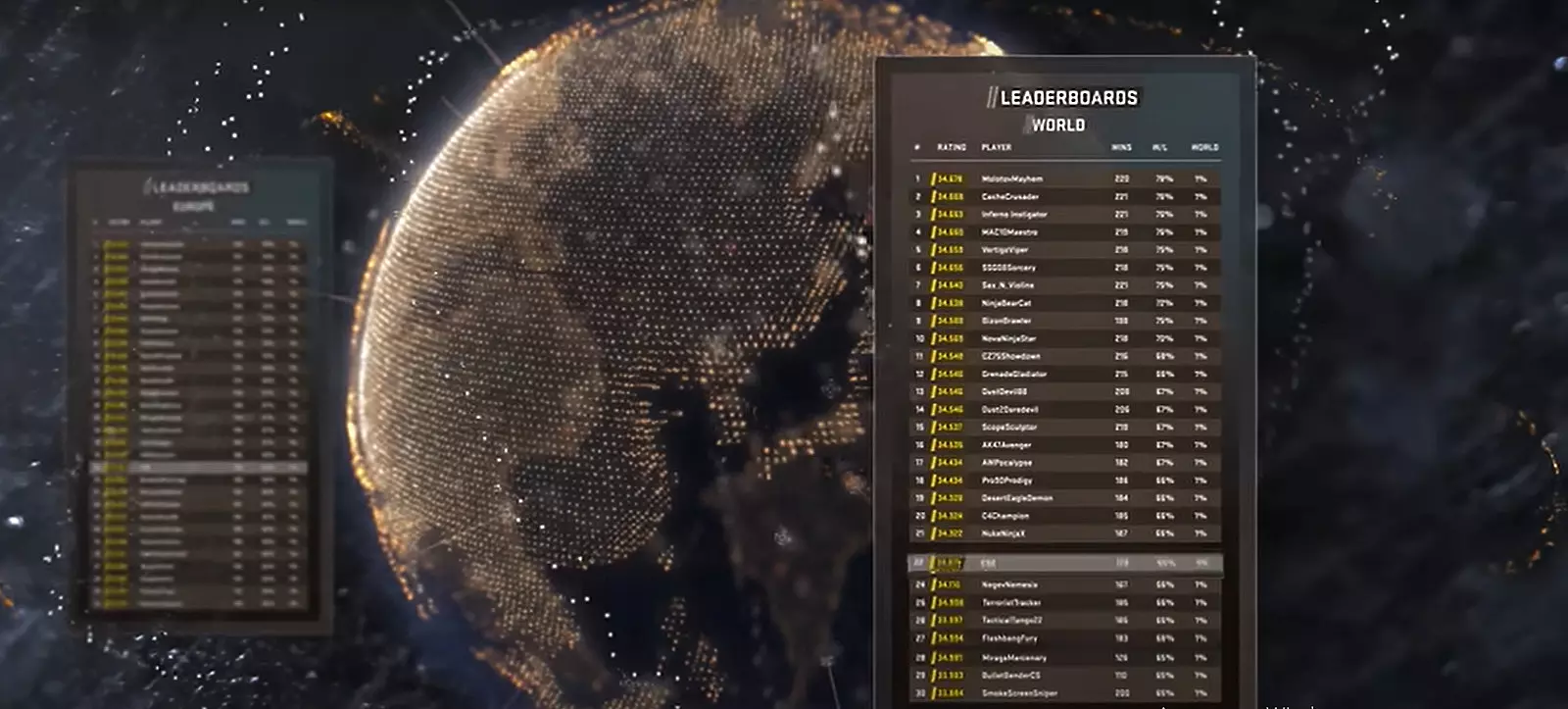
Steam Method: Accessing Hidden Elo Data
Valve has positioned CS2 Elo history data in an unconventional location within the Steam interface—specifically under the Major Pick’Ems section. You can attempt direct access using this direct link, though browser compatibility issues may require alternative navigation.
For reliable access, follow this structured approach:
- Authenticate into your Steam account and navigate to Profile → Games section
- Locate CSGO → My Game Stats → Personal Game Data
- Identify Major Pick’ems among the extensive tab listings
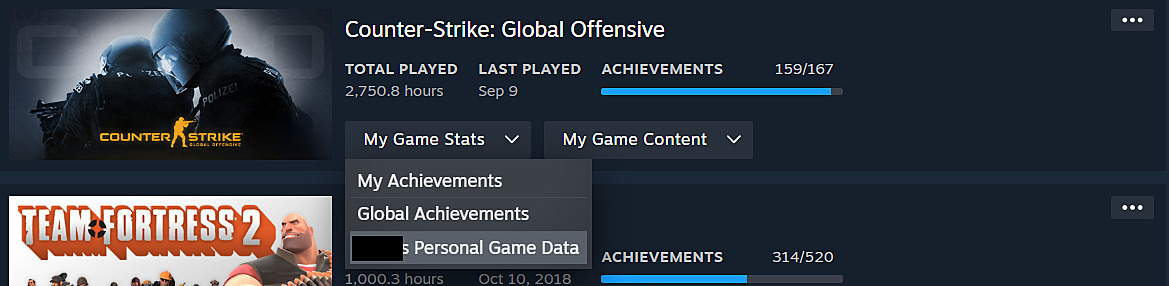

Once inside the Major Pick’ems section, focus your attention on the Leaderboard and premier_season1 categories. The numerical values displayed in the Score column represent your encoded Elo points. These figures appear unusual due to Valve’s specific data encoding methodology—to derive your actual Elo rating, systematically divide each Score value by 32,768.
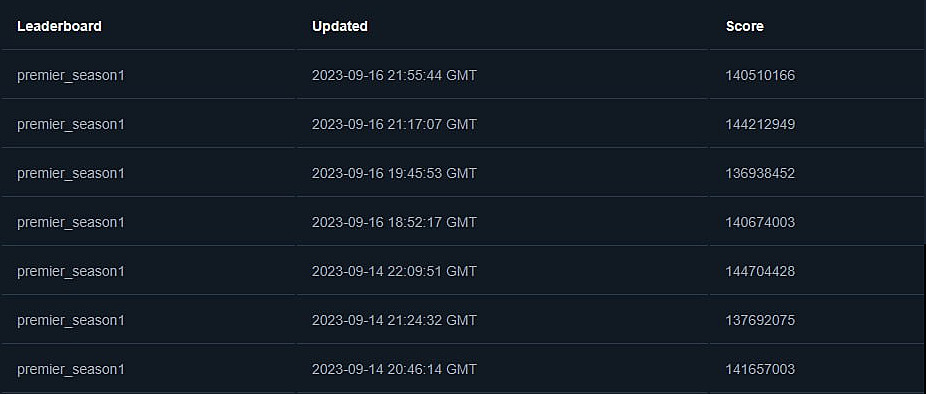
The community has developed enhanced visualization tools for this data. Comprehensive instructions for implementing these improved charting solutions are accessible through this community resource. Alternatively, proceed to the secondary method outlined below.
Leetify Platform: Advanced Analytics Approach
Leetify serves as an alternative analytical platform delivering comprehensive match statistics beyond simple Elo fluctuations. This third-party service provides detailed performance metrics including positioning analysis, utility usage efficiency, and duel success rates.
To leverage Leetify’s capabilities:
- Utilize this platform access link
- Select “Log in with Steam” to authorize data access permissions
- Navigate to your dedicated CS2 match-history section
Will CS2 ranks reset after release date? Will you keep Elo points after CS2 launch?
Don’t worry too much.
Currently, Leetify experiences data interpretation challenges during the CS:GO to CS2 transition period. Consequently, exercise caution when evaluating specific metrics like headshot percentage or aim ratings, as these may display inaccuracies. The platform’s CEO has publicly acknowledged these temporary statistical anomalies.
How to play Aim Bots map in CS2. Download and install Aim Botz for CS2
Yes, you can already practice aim in CS2
Performance Analysis and Improvement Strategies
Effectively interpreting your Elo history requires understanding typical progression patterns. Most players experience plateaus lasting 2-3 weeks followed by rapid improvement phases. Track your performance across different map types and time periods to identify specific improvement areas.
Avoid these common tracking mistakes:
- Overreacting to single match Elo changes rather than weekly trends
- Ignoring contextual factors like teammate performance and match competitiveness
- Focusing exclusively on peak rating instead of consistency metrics
For advanced optimization, establish baseline measurements for key performance indicators including clutch success rates, utility damage efficiency, and trade kill percentages. These metrics often correlate more strongly with long-term improvement than raw Elo fluctuations.
For comprehensive gaming strategies beyond CS2, explore our Complete Guide to competitive gameplay fundamentals. Understanding class dynamics through our Class Guide can enhance your tactical understanding, while weapon mastery detailed in our Weapons Unlock guide provides transferable skills for CS2 weapon mechanics.
Action Checklist
- Access Steam Elo data through Major Pick’ems section using step-by-step navigation
- Calculate actual Elo values by dividing Score column numbers by 32,768
- Set up Leetify account and connect Steam profile for advanced analytics
- Establish weekly tracking routine to monitor progression patterns
- Analyze performance metrics beyond Elo including clutch success and utility efficiency
No reproduction without permission:Game Guides » How to see my CS2 Elo rating history. How to find Premier match history on Steam Master CS2 Elo tracking with Steam and Leetify methods plus essential performance analysis tips