
TL;DR
- Access multiplayer expeditions via the central Roundtable Hold table after completing the tutorial
- Use matchmaking settings for friend invites and password-protected sessions within platform families
- Enable multi-expedition queuing after defeating Gladius to reduce wait times significantly
- Coordinate team composition and loadouts before commencing for optimal boss battle success
- Leverage group passwords for expanded passive multiplayer interactions and community features
We’re embarking on an adventure through the treacherous lands of Nightreign
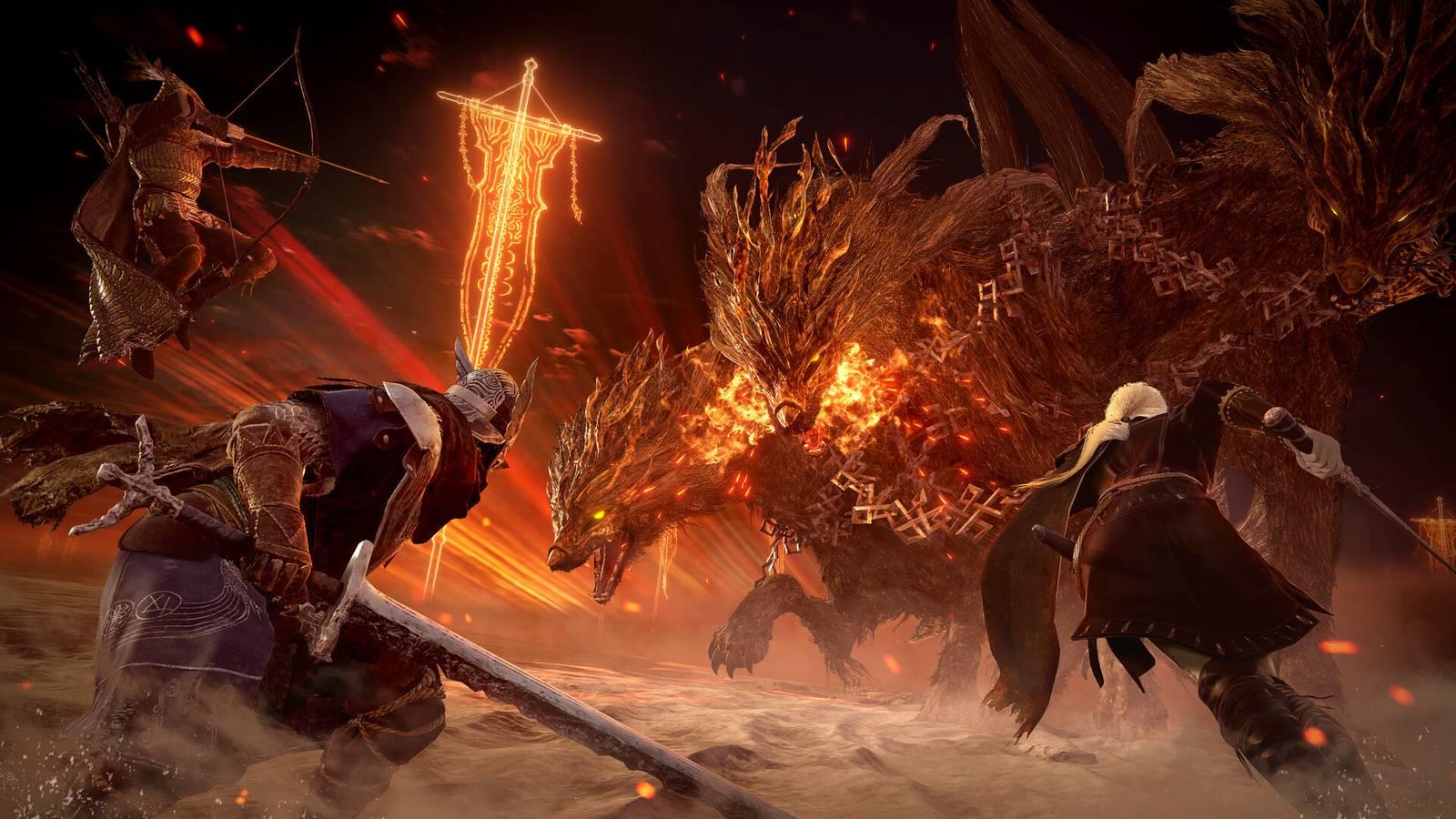
Elden Ring Nightreign transforms the traditional Souls-like experience into dynamic roguelike expeditions where you join forces with a multiplayer squad of Nightfarers to confront formidable Nightlords. While solo play remains an option, FromSoftware has deliberately designed the game’s challenging encounters and boss mechanics around coordinated three-player cooperation. The tactical advantages of team play make grouping highly advisable for overcoming the game’s most demanding content.
This comprehensive Elden Ring Nightreign guide details how to initiate multiplayer Expeditions, coordinate with friends, implement password protection systems, and optimize your team composition for maximum effectiveness against the Nightlords’ varied attack patterns.
Upon finishing the introductory tutorial and consulting with the Priestess character, you gain nearly unrestricted access to the Roundtable Hold—the iconic hub area returning from the original Elden Ring. The prominent table positioned at the heart of the Roundtable Hold serves as your primary gateway to Expeditions and represents the central multiplayer interface.
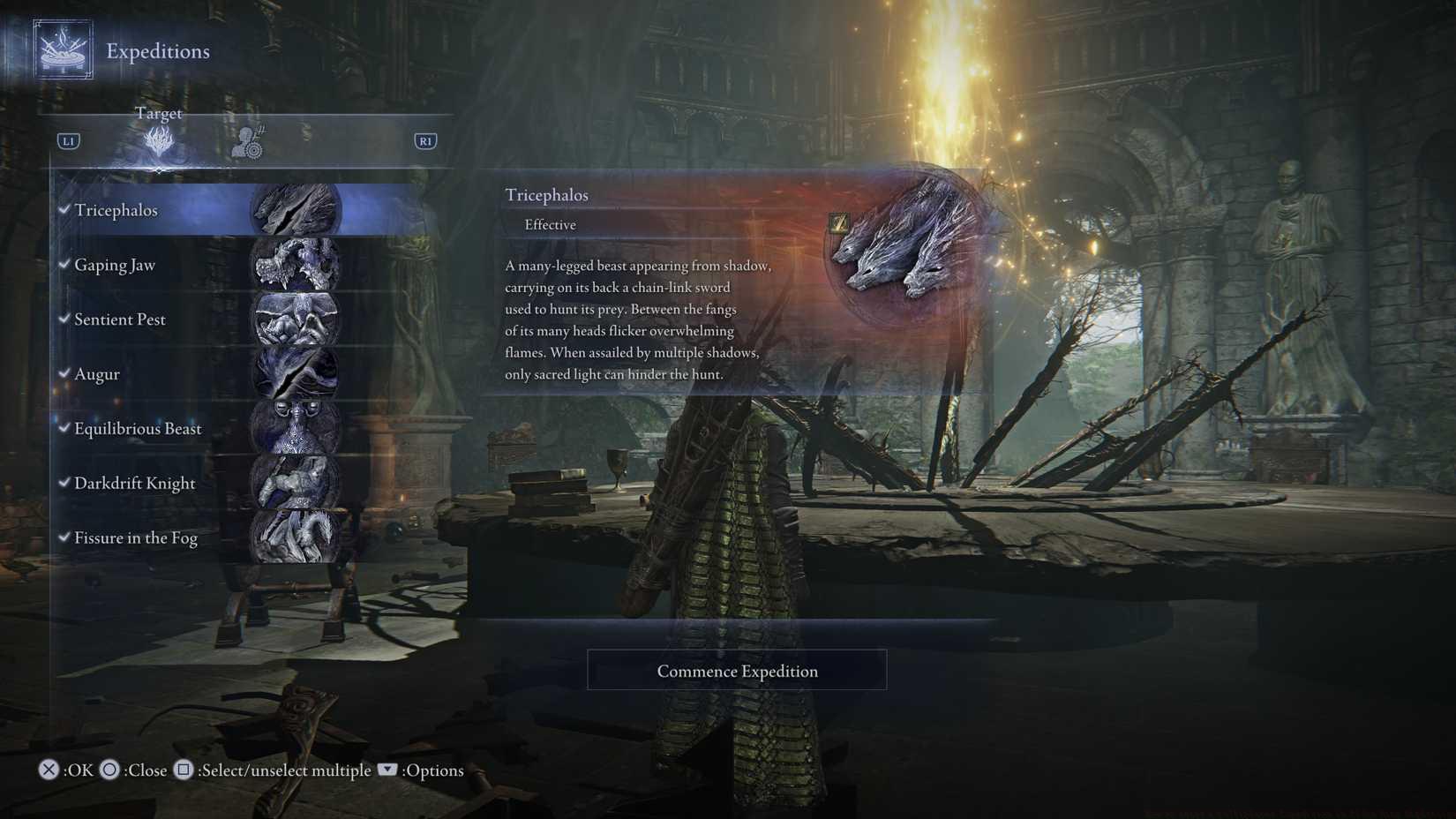
Initiating a multiplayer Expedition—the default gameplay mode—requires approaching the Roundtable Hold’s central table and activating the interaction prompt (△ on PlayStation, Ⓨ on Xbox). From the interface that appears, designate your target Nightlord and select Commence Expedition. Initially, only the Tricephalos Expedition featuring Gladius, Beast of Night will be accessible. Victorious completion unlocks seven additional Nightlords available for challenge in any sequence.
The matchmaking system automatically pairs you with two additional players who have chosen the identical Expedition target. An audible clang signals when your three-person squad is fully assembled. During the waiting period, you retain freedom to explore Roundtable Hold, purchase items from vendors, or customize your character’s appearance.
Navigate to the Matchmaking Settings screen from the Expedition interface to access comprehensive multiplayer configuration options. This panel enables you to invite players within the same platform ecosystem to establish a Team Session. Cross-platform functionality remains unavailable in Elden Ring Nightreign, though PlayStation 5 users can cooperate with PlayStation 4 players, and Xbox Series X participants can join Xbox One gamers.
For controlled access, implement a multiplayer password permitting non-friends to join your session. The system also supports multiple group passwords, allowing players who input identical passwords to experience enhanced passive multiplayer elements including phantom appearances and bloodstain indicators throughout their journeys.
After conquering Gladius, Beast of Night, the full roster of Nightlords becomes available for challenge. Should you encounter extended matchmaking delays, activate the multi-target matchmaking feature to queue for several Nightlord expeditions simultaneously, dramatically accelerating your entry into randomized games.
To select multiple Nightlord targets for concurrent matchmaking, press ▢ on PlayStation or Ⓧ on Xbox controllers. The options menu additionally provides a convenient “select all undefeated Nightlords” function for comprehensive queue coverage.
Pro Tip: When using multi-expedition queuing, ensure your character build remains versatile enough to handle various Nightlord mechanics. Specialized loadouts effective against one boss may prove inadequate against others with different attack patterns and resistance profiles. Consider consulting our Class Guide for build optimization strategies that translate well to Nightreign’s cooperative challenges.
Common Mistake Avoidance: Many players underestimate the importance of pre-mission coordination. Before commencing an expedition, use the Roundtable Hold waiting period to discuss roles, consumable usage, and resurrection strategies with your temporary allies. Teams that communicate effectively typically achieve 40-60% higher success rates against late-game Nightlords.
Advanced Strategy: Experienced Nightfarers recommend maintaining a “rotation” of 3-4 active expeditions in your queue to balance matchmaking speed with target specificity. This approach typically reduces wait times by 2-3 minutes while ensuring you don’t get matched against Nightlords your current build cannot effectively counter.
Action Checklist
- Complete tutorial and speak with Priestess to unlock Roundtable Hold access
- Approach central table and interact to open expedition interface
- Configure matchmaking settings for friends or password-protected sessions
- Defeat Gladius to unlock multi-expedition queue functionality
- Activate multi-target matchmaking to reduce wait times for subsequent runs
No reproduction without permission:Game Guides » How to start a multiplayer Expedition in Elden Ring Nightreign Master Elden Ring Nightreign multiplayer with expert strategies for matchmaking, team coordination, and expedition optimization