
TL;DR
- Purchase tumble climb from Service Station for $4,000-$5,000 with randomized availability
- Activate with Q key then left-click walls while maintaining stamina management
- Look away from grappling points to climb faster – counterintuitive but effective
- Practice in safe areas first to avoid alerting enemies with landing noise
- Multiple upgrades reduce stamina drain and increase climbing speed significantly
Scale vertical surfaces with REPO’s unique movement mechanic
The tumble climb capability within REPO provides unprecedented vertical mobility, enabling access to previously unreachable areas and strategic positions. While straightforward to acquire through proper channels, mastering this technique demands practice to prevent unfortunate descents that could compromise your mission success.
This comprehensive breakdown covers both acquiring REPO‘s tumble climb functionality and optimizing its application across various scenarios.
Before deploying this movement ability, you must procure the tumble climb upgrade from the Service Station (REPO’s equipment vendor), accessible following each successfully concluded operation. The upgrade manifests as a vibrant blue package featuring an illustration of a vocalizing character.
Given the Service Station’s inventory randomization system, securing tumble climb immediately isn’t guaranteed. However, upon appearance, anticipate pricing fluctuating between $4,000 and $5,000. Budget-conscious players should accumulate funds across multiple missions rather than spending excessively on single attempts.
Following acquisition, consistently activate the upgrade package before embarking on subsequent levels. Neglecting this consumption step renders the ability unavailable, wasting both currency and strategic opportunity.

Initiate REPO‘s distinctive tumble mode by engaging the Q key. While maintaining this state, employ left-click actions on adjacent walls to ascend vertically. Proximity detection activates a blue visual indicator, confirming valid grappling surfaces. During ascent, a subtle blue tether connects your position to the anchor point, visually represented in the accompanying demonstration. Releasing the left mouse button immediately terminates the climb, resulting in descent.
Counterintuitively, directing your gaze away from the attachment point accelerates vertical progress. For optimal positioning while maintaining situational awareness, transition your viewpoint downward immediately after securing the wall connection.
Tumble climb operations drain stamina reserves (represented by the yellow numerical display in the upper-left interface), temporarily disabling the ability upon depletion until recovery occurs. This movement technique excels for accessing elevated platforms or evading threats, though landing impacts generate noise that potentially reveals your position to nearby hostiles.
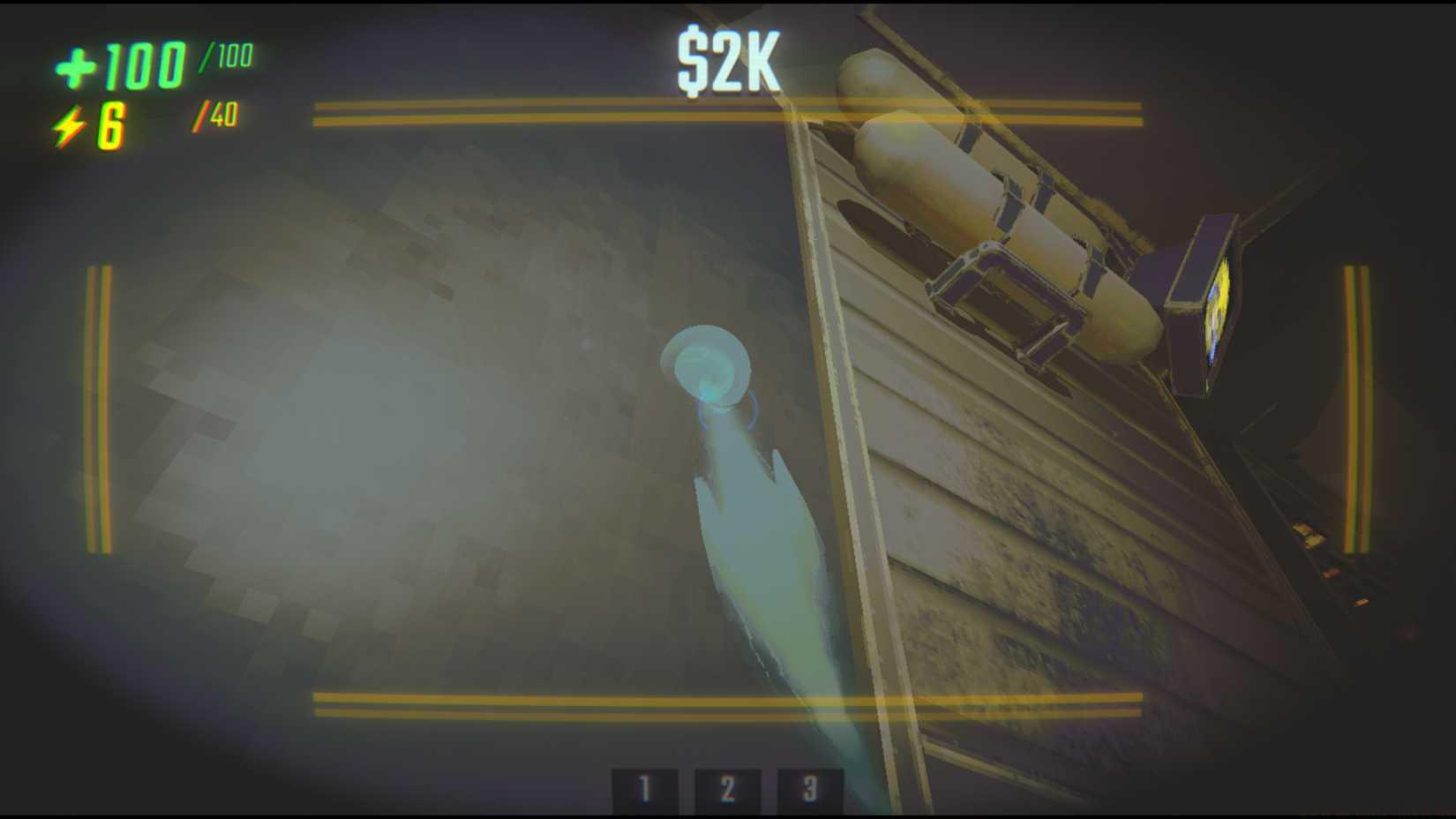
Image: Semiwork via Polygon
Given tumble climb’s technical complexity, initial practice within secure environments like the transport vehicle is strongly recommended—accidental collisions with Birthday Boys yield undesirable consequences. Some operators postpone utilizing this REPO feature entirely until accumulating additional enhancement packages; procuring and activating supplementary tumble climb upgrades from Service Stations substantially improves ascent velocity and decreases stamina expenditure.
Advanced Technique: Silent Descent
While landing normally creates noise, releasing the climb at the peak of your ascent and immediately reactivating it just before hitting the ground can create a quieter landing, though this advanced maneuver requires precise timing.
Stamina Conservation
Monitor your stamina bar closely during extended climbs. The yellow “electricity” indicator depletes faster during continuous climbing. For longer ascents, practice intermittent climbing—brief releases between pulls—to allow partial stamina recovery during multi-story climbs.
Enemy Evasion Applications
Beyond simple elevation gain, tumble climb excels for rapid vertical repositioning during combat. When pursued, quickly scale nearby structures to break line of sight, then reposition while enemies search your last known location. Combine this with other movement techniques from our Class Guide for maximum tactical flexibility.
Upgrade Stacking Benefits
Each additional tumble climb upgrade provides diminishing but valuable returns. The first upgrade typically reduces stamina cost by 25%, with subsequent upgrades offering approximately 15% and 10% improvements respectively. Consider prioritizing this upgrade path if vertical mobility aligns with your playstyle, similar to specialization choices discussed in our Complete Guide.
Action Checklist
- Check Service Station after each mission for tumble climb availability
- Practice basic activation in safe zone (transport truck)
- Master looking-away technique for faster ascents
- Learn stamina management through intermittent climbing
- Purchase additional upgrades for improved performance
No reproduction without permission:Game Guides » How to use tumble climb in REPO Master REPO's tumble climb ability with advanced techniques, cost strategies, and practical movement tips