
TL;DR
- Virtual Game Cards enable digital game sharing between Switch consoles with specific compatibility rules
- Access through home menu navigation with automatic setup recognition for existing digital libraries
- Three loading options: local system, other systems, or family lending with 14-day limits
- Forward compatibility only – Switch 2 games cannot be shared with original Switch consoles
- Family group sharing requires Nintendo Online membership for extended lending capabilities
Revolutionize how you share digital gaming experiences with friends and family members
The Nintendo Switch 2 introduces the enhanced Virtual Game Card ecosystem, transforming digital game distribution and sharing capabilities. While this feature originated on the original Nintendo Switch platform, the updated implementation offers refined functionality that you’ll encounter during your Switch 2 initial configuration process.
Nintendo continues its tradition of innovative social gaming features with this groundbreaking digital sharing system. Purchased digital titles now function as transferable Virtual Game Cards that can be exchanged between compatible Nintendo Switch and Switch 2 gaming systems, creating new possibilities for digital library management.
This comprehensive guide explores Virtual Game Card operational mechanics and essential considerations before distributing your digital collection across multiple consoles.
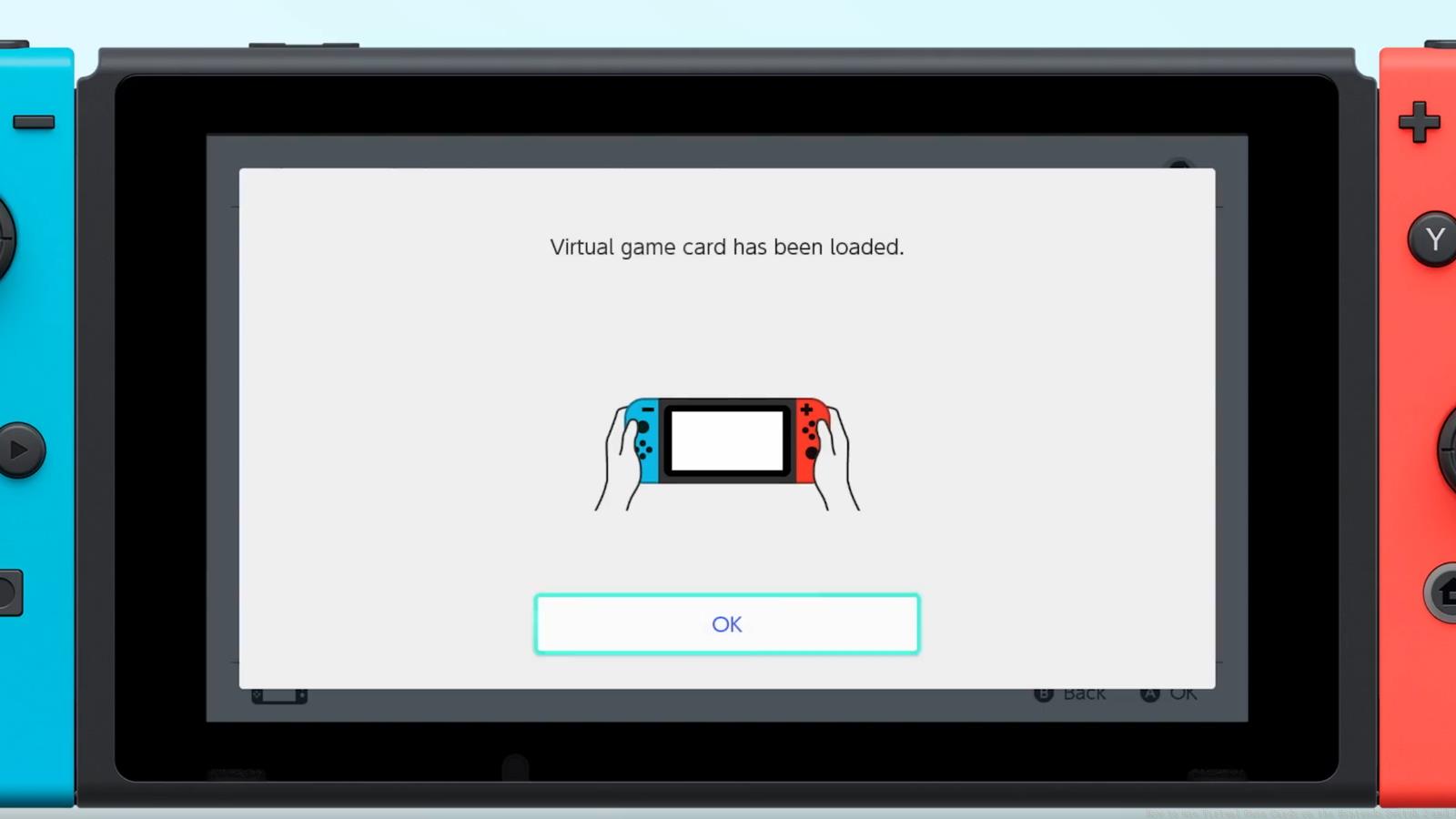
When transitioning from previous Switch consoles with existing digital game libraries, your Nintendo Switch 2 setup process automatically detects and acknowledges these titles as Virtual Game Cards. For detailed management options, navigate to the dedicated Virtual Game Card interface accessible directly from your system’s home screen. The navigation menu positions this feature as the third option from the right side, clearly marked for easy access.
Digital acquisitions from the Nintendo eShop marketplace or retailer redemption codes automatically convert into Virtual Game Card format upon successful purchase verification. Once processed, these virtual cards appear in your system library, ready for immediate activation and gameplay from the main menu interface.
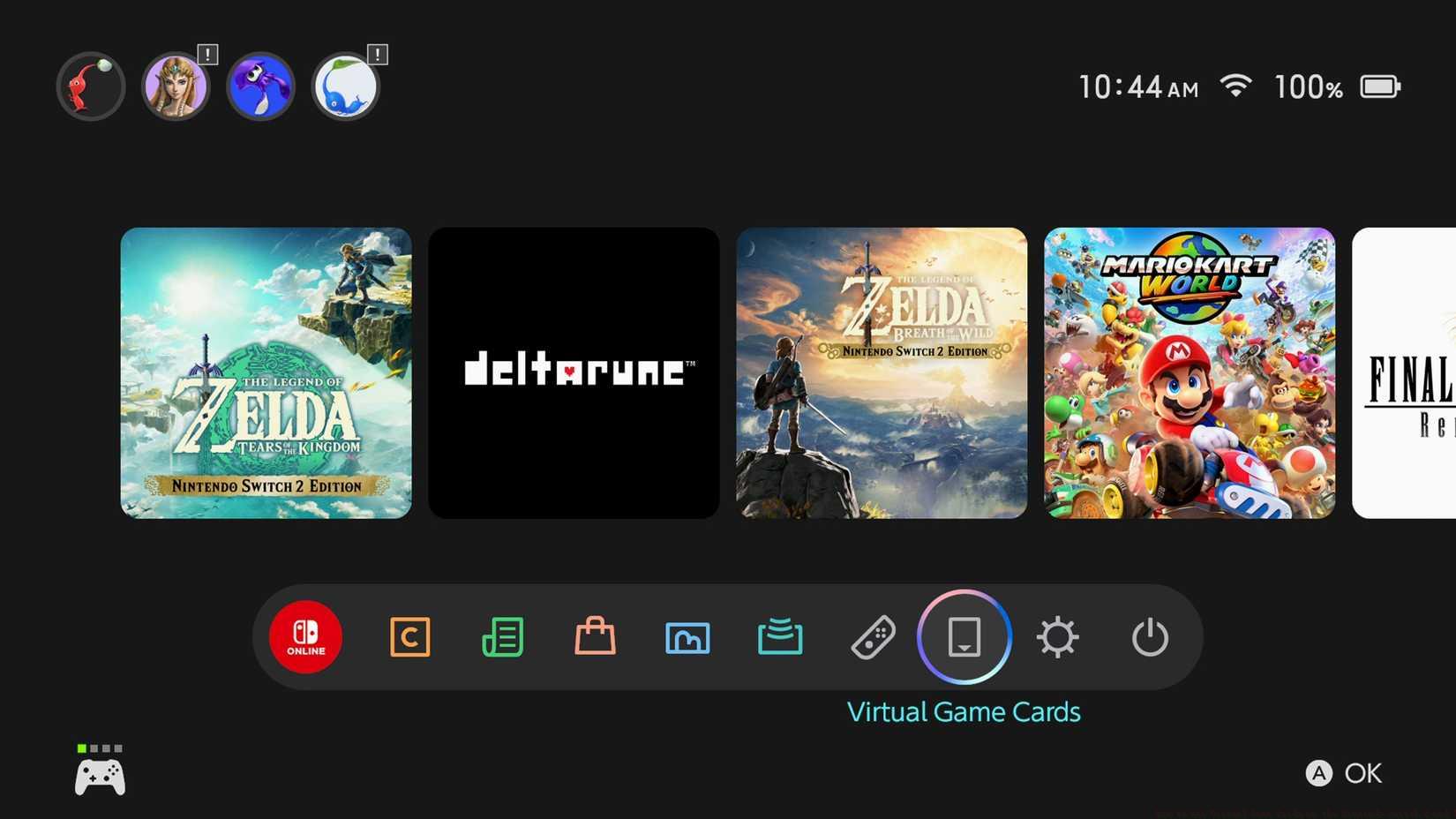
Image: Nintendo via Polygon
Selecting any game from your library reveals an expanded management menu with three distinct operational modes for your Virtual Game Cards:
Understanding these three operational modes ensures you maximize your digital game sharing potential while respecting platform limitations and licensing restrictions.
Mastering Virtual Game Card management requires understanding several advanced techniques and potential pitfalls. Always verify game compatibility before attempting cross-system transfers, as Switch 2 enhanced titles may not function on original hardware. For optimal sharing efficiency, establish stable local wireless connections between consoles during transfer operations.
Common mistakes include attempting to lend games beyond the 14-day family sharing limit or trying to play transferred games simultaneously on multiple systems. Remember that active gameplay sessions on one console will temporarily lock the Virtual Game Card from other access until the session concludes.
For troubleshooting, if a Virtual Game Card fails to load, check your internet connection for license verification, ensure both consoles have updated system software, and confirm family group membership status for lending operations. These system management skills translate well to other Nintendo ecosystem features.
Advanced users should coordinate sharing schedules within family groups to maximize game access while minimizing conflicts. Setting calendar reminders for lending period expirations helps prevent unexpected game access loss. These organizational strategies enhance overall digital library management.
Action Checklist
- Complete Nintendo Switch 2 setup to automatically recognize existing digital games as Virtual Game Cards
- Navigate to Virtual Game Card menu (third option from right in navigation menu) to view your collection
- Select game and choose appropriate loading option: current system, other system, or family lending
- Verify compatibility before cross-system transfers, ensuring Switch 2 games aren’t sent to original Switch
- Set calendar reminders for family lending expiration dates to avoid unexpected access loss
No reproduction without permission:Game Guides » How to use Virtual Game Cards on the Nintendo Switch 2 and 1 Master Nintendo Switch 2 Virtual Game Cards: Sharing, Lending, and Digital Library Management Guide