
TL;DR
- Unlock the Antique Dresser at level 22 using one Ancient Technology point
- Gather specific materials: 100 wood, 20 fiber, 30 stone, and 5 ancient civilization parts
- Access the ‘Edit Character Outfit’ menu to customize head, body, and glider appearance
- Keep desired armor pieces in inventory for cosmetic modeling reference
- Cosmetic changes persist even after removing the original armor from inventory
Transform your equipment appearance while maintaining optimal performance
The March 2025 v0.50 update revolutionized Palworld’s customization options by introducing the cosmetic armor system alongside crossplay functionality and the Global Palbox feature. This innovative system empowers players to customize their armor appearance without compromising defensive capabilities or special attributes.
Palworld’s transmog mechanism enables complete visual overhaul of protective gear while preserving all statistical benefits. This means you can achieve your desired aesthetic without sacrificing combat effectiveness, allowing for both functional optimization and personal expression.
However, strategic limitations exist within the system. Currently, players cannot modify armor coloration and must possess the specific armor piece in their inventory to use its appearance. Understanding these constraints early helps manage expectations and plan your customization strategy effectively.
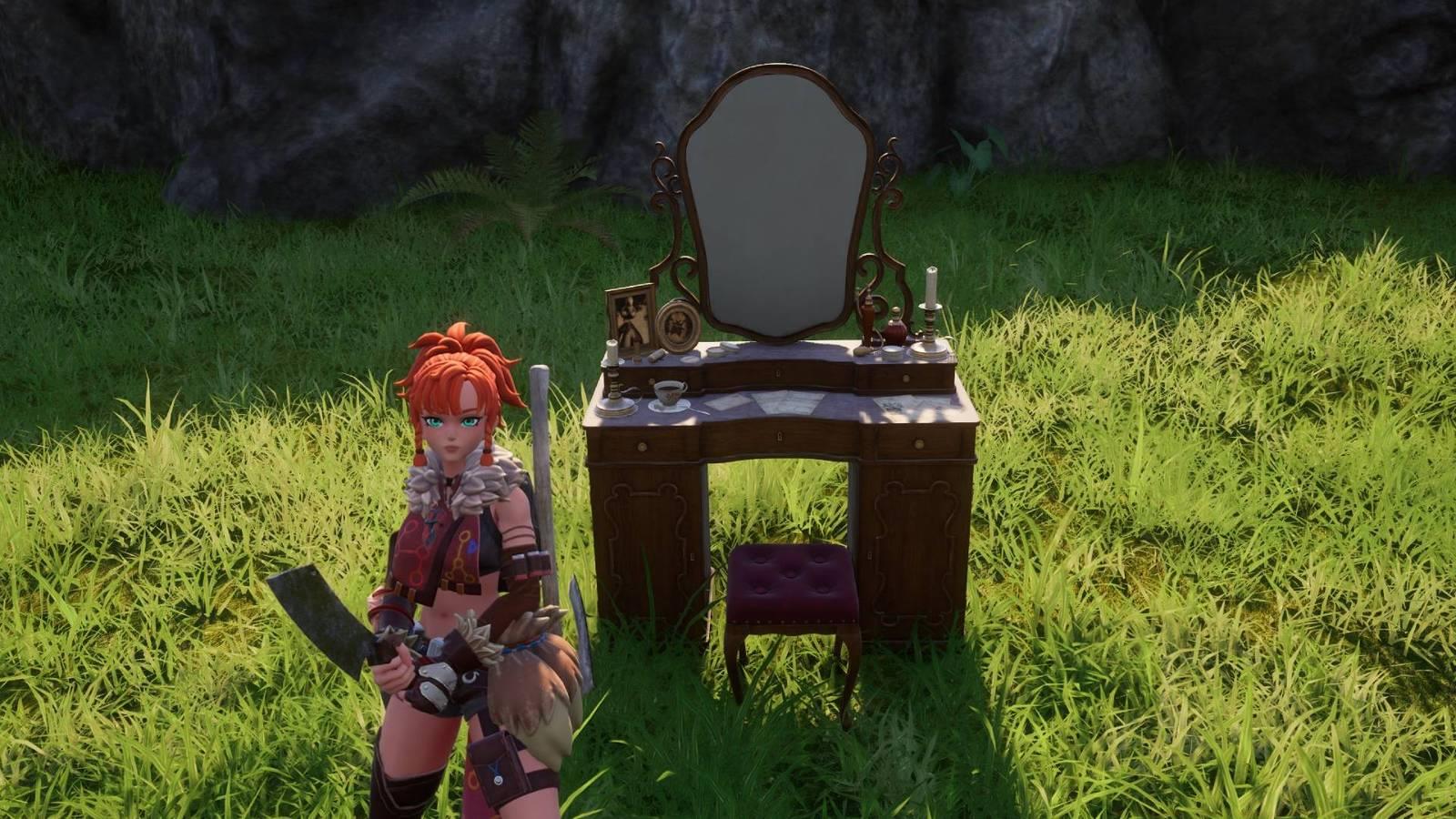
To access Palworld’s cosmetic armor functionality, you must first obtain the Antique Dresser furniture item. This specialized workstation serves as the central hub for all appearance modification activities within the game.
The Antique Dresser becomes available upon reaching level 22 for one Ancient Technology point, representing a mid-game progression milestone. The construction requirements demand careful resource gathering: 100 wood for the primary structure, 20 fiber for padding and details, 30 stone for stability, and five ancient civilization parts for the mystical components that power the transmog technology.
Pro tip: Begin stockpiling these materials several levels before reaching the requirement to ensure immediate access once you hit level 22. Ancient civilization parts often prove the most challenging to acquire, so prioritize exploring dungeons and defeating stronger Pals to collect them efficiently.
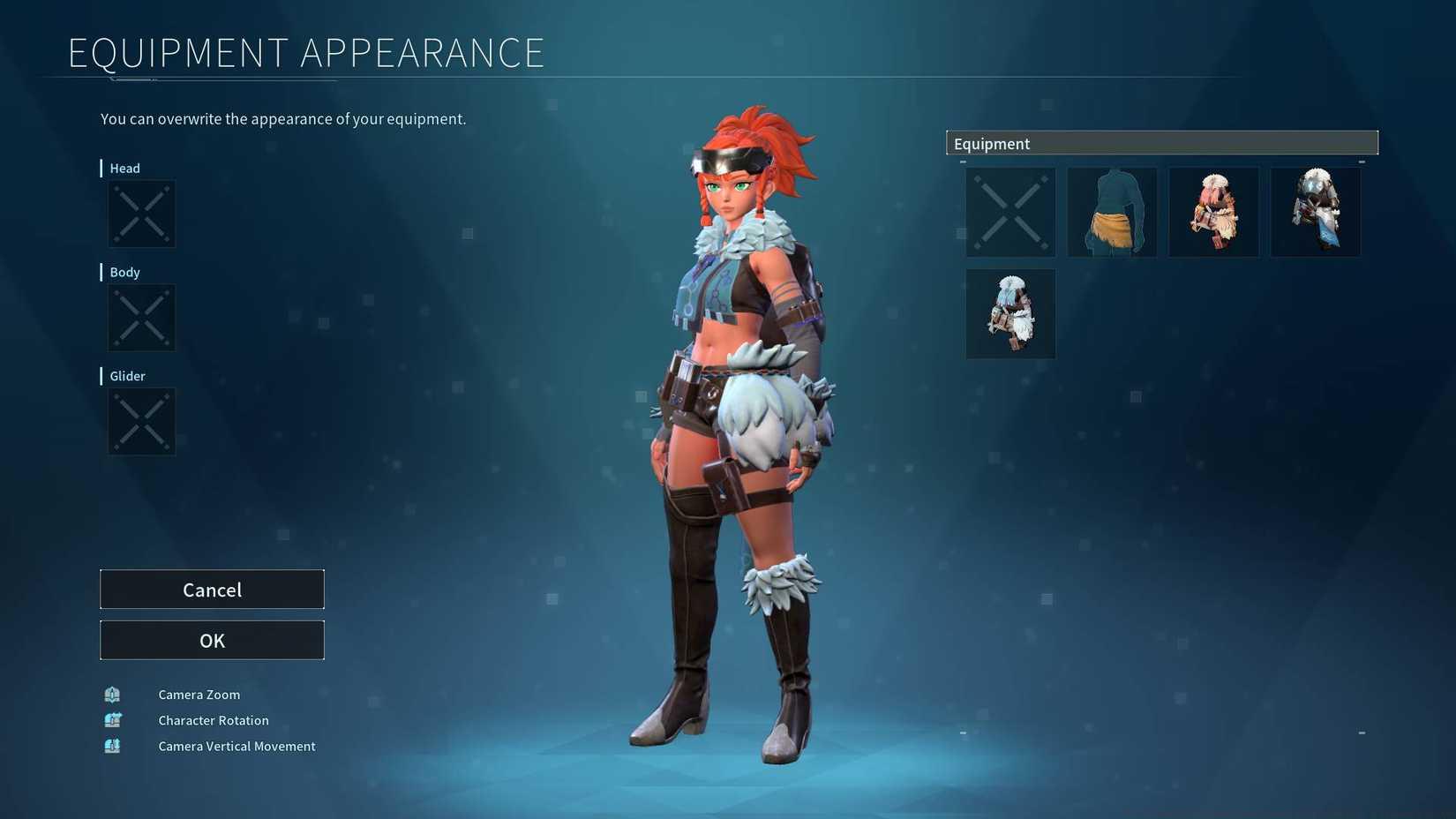
Image: Pocketpair via Polygon
Once your Antique Dresser is constructed and placed in your base, approach the furniture and interact with it to reveal the customization interface. Select the “Edit Character Outfit” option to access the comprehensive appearance modification menu where you can independently customize your headgear, body armor, and glider equipment visuals.
A crucial implementation detail: if you desire your equipment to mimic a specific armor piece’s appearance, you must have the armor in your inventory before initiating the Antique Dresser interaction. For instance, to adopt the Pelt Armor aesthetic, ensure you possess at least one Pelt Armor unit in your inventory during the customization process.
After configuring your preferred appearance settings, the visual changes become permanently associated with your character profile. These cosmetic preferences persist regardless of future equipment changes, and you can safely dispose of the original armor pieces used for reference since the system stores the appearance data separately from the physical items.
Advanced strategy: Create a dedicated storage container for cosmetic reference armor to avoid accidentally selling or dismantling pieces you might want to use for appearance changes later. This organizational approach saves time and resources when you decide to update your look.
For players seeking to maximize their cosmetic customization experience, several advanced strategies can enhance both efficiency and creative possibilities. First, prioritize unlocking armor sets with distinctive visual appeal during your gameplay, as these will provide the most dramatic transformation opportunities when applied cosmetically.
A common mistake involves dismantling unique armor pieces too early. Always check if an armor piece has appealing visual characteristics before recycling it, as you may want to use its appearance later. Another frequent error is forgetting that cosmetic changes don’t affect actual equipment slots – you still need to equip your best statistical armor separately.
Time optimization: The entire customization process typically takes 2-3 minutes once you have the Antique Dresser built and the reference armor collected. For advanced players, consider creating multiple appearance profiles for different activities – perhaps a sleek stealth outfit for exploration and bulky armor for base defense scenarios.
Remember that while the system doesn’t currently support color customization, mixing and matching different armor pieces can create unique visual combinations that effectively serve as pseudo-coloring through texture and shape variation.
Action Checklist
- Reach level 22 and unlock Antique Dresser with Ancient Technology point
- Gather construction materials: 100 wood, 20 fiber, 30 stone, 5 ancient civilization parts
- Build Antique Dresser at your base and access ‘Edit Character Outfit’ menu
- Collect armor pieces for cosmetic reference and organize in dedicated storage
- Apply and test different appearance combinations, then optimize your final look
No reproduction without permission:Game Guides » How to customize armor appearance with Palworld’s transmog system Master Palworld's cosmetic armor system to customize your appearance without sacrificing stats