
TL;DR
- Build Global Palbox with 3 paldium fragments, 5 wood, and 15 stone to enable cross-world transfers
- Enable genetic data settings in world options before attempting any Pal transfers
- Store Pal genetic data from regular Palbox slots to Global Palbox storage system
- Reconstruct Pals in new worlds using saved genetic data from any compatible world
- Optimize breeding efficiency by transferring ideal trait combinations across save files
Maximize your Palworld experience by leveraging cross-world companion mobility
The revolutionary Global Palbox in Palworld fundamentally transforms how players manage their creature collections across multiple gaming sessions. This advanced facility enables seamless duplication and deployment of your most valuable Pals to every world you create—provided the destination world’s settings permit genetic reconstruction operations.
Through sophisticated genetic data preservation technology, players can now securely backup their favorite Pals’ biological profiles and regenerate identical copies in alternate game worlds. While the transfer mechanics may initially seem complex, mastering this system allows you to bypass extensive breeding cycles and immediately deploy optimized Pals with perfect traits and skills.
This groundbreaking feature debuted in March 2025’s major v0.50 update, which simultaneously introduced cross-platform compatibility and cosmetic armor customization options. The update represents one of Palworld’s most significant quality-of-life improvements for dedicated players managing multiple settlements.
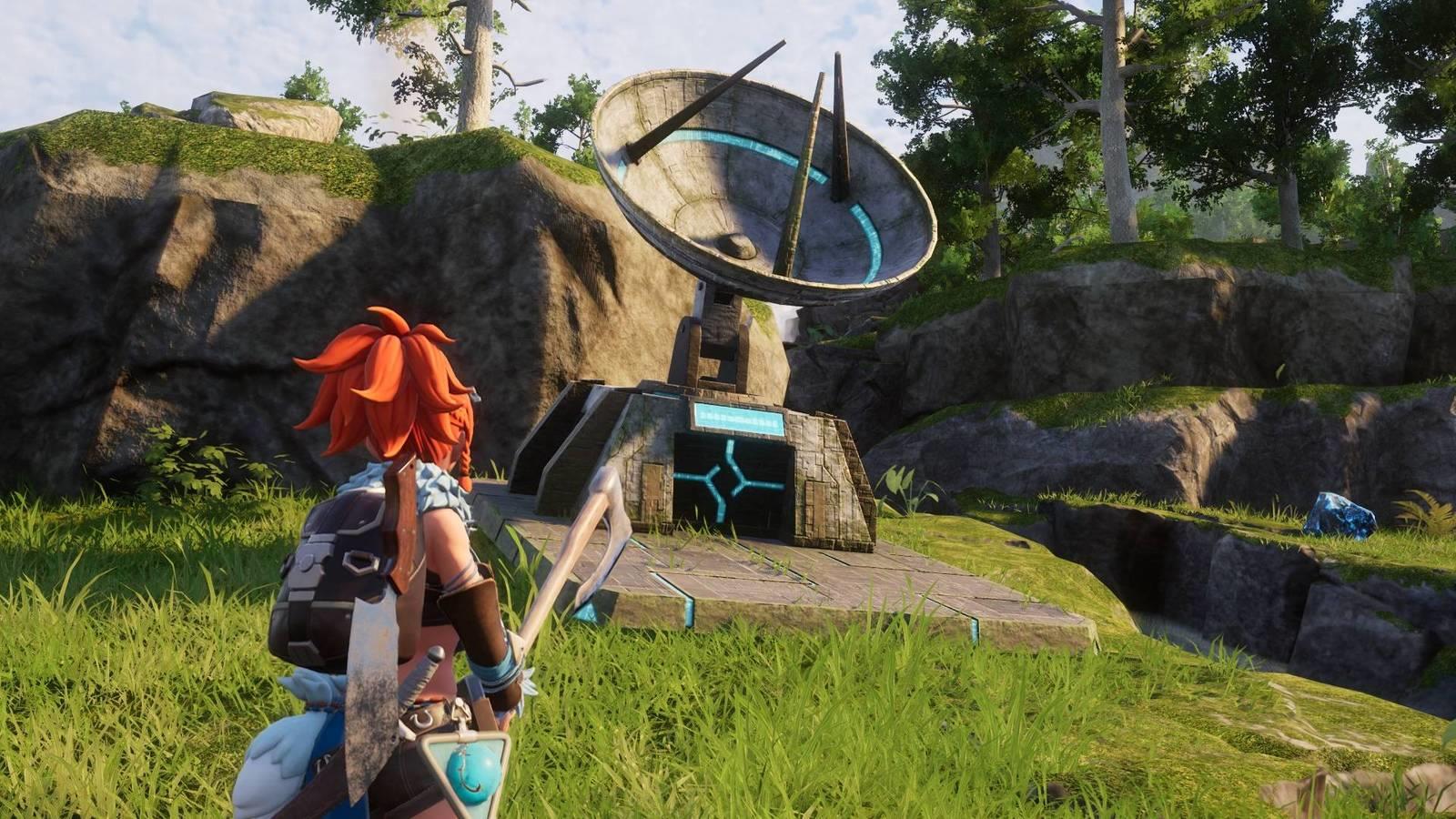
Establishing your cross-world Pal network begins with constructing the essential infrastructure. To facilitate Pal transfers between your different game worlds, you must first build the Global Palbox structure at your primary base camp.
The Global Palbox blueprint automatically unlocks in your technology tree upon reaching the appropriate level, requiring no additional research investment. Navigate to your base construction interface and select the “Pal” category tab to locate the Global Palbox construction option among your available facilities.
Gathering the necessary construction materials requires minimal effort: you’ll need three paldium fragments for the core genetic processor, five wood units for structural framework, and 15 stone blocks for the foundation platform. These common resources can be quickly acquired through basic gathering activities near any established base location.
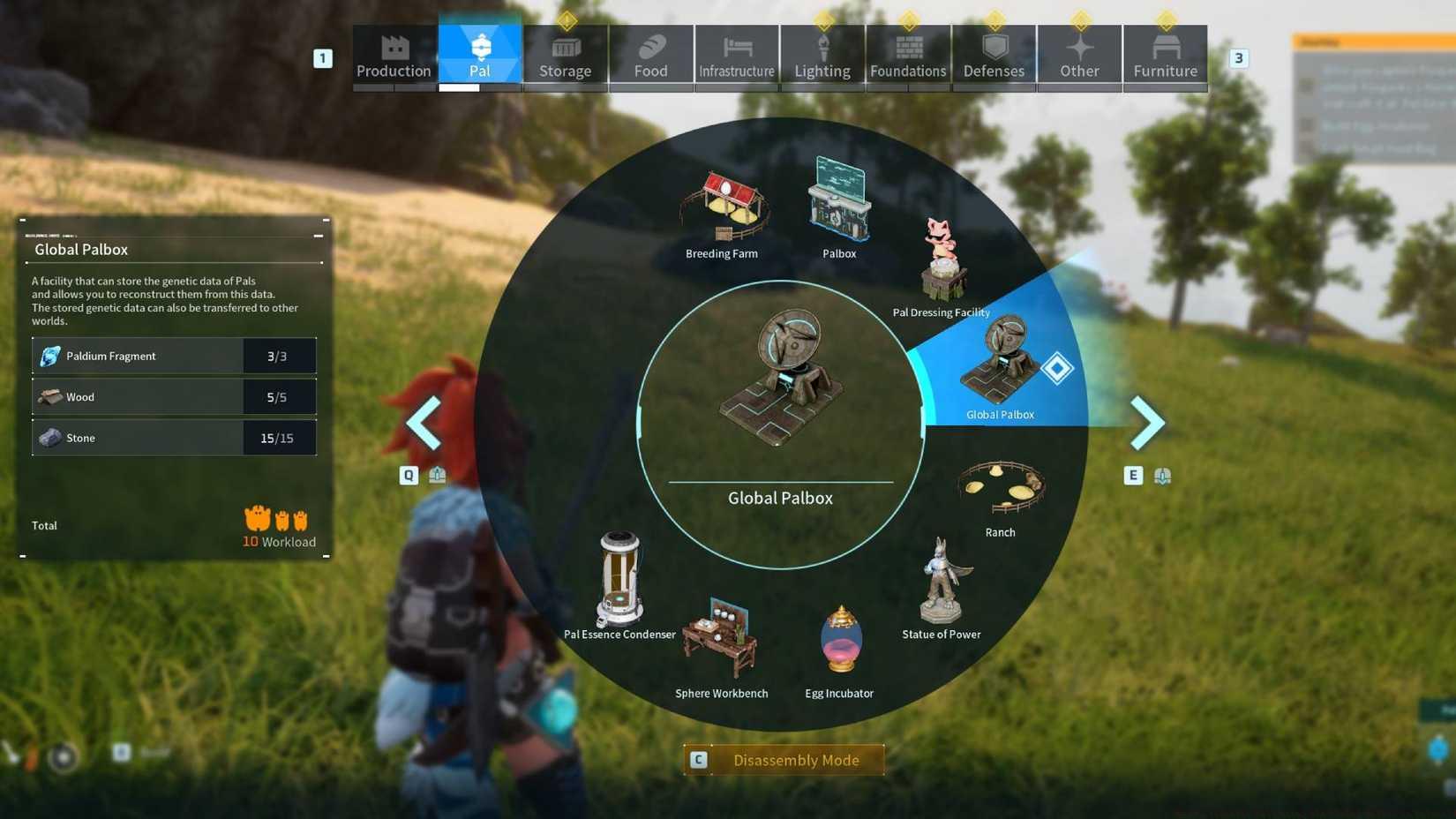
Image: Pocketpair via Polygon
Pro Tip: Position your Global Palbox near your regular Palbox for streamlined operations. This strategic placement reduces transit time when managing genetic data transfers between storage systems and allows for quicker batch processing of multiple Pals.
Before initiating any cross-world transfer operations, critically verify that your current game world permits Pal genetic data preservation and reconstruction procedures. These essential settings activate automatically in all newly created worlds following the v0.50 update, but may require manual adjustment in pre-existing save files.
Access your world’s custom settings menu to confirm that “Allow Genetic Data Saving” and “Enable Pal Reconstruction” options remain activated. Deactivating these settings will prevent both outgoing and incoming Pal transfers, effectively isolating your world from the global network.
Common Configuration Issue: Players frequently encounter transfer failures when attempting to move Pals between worlds with different difficulty settings. Ensure compatible world rulesets to avoid genetic compatibility errors during reconstruction attempts.
With properly configured world settings and a successfully constructed Global Palbox, you gain full authorization to preserve your Pals’ genetic blueprints and regenerate them throughout your connected world network.
Genetic data preservation enables unprecedented mobility for your most valuable companions across your Palworld universe. To securely backup your Pal’s biological information, meticulously follow this operational sequence:
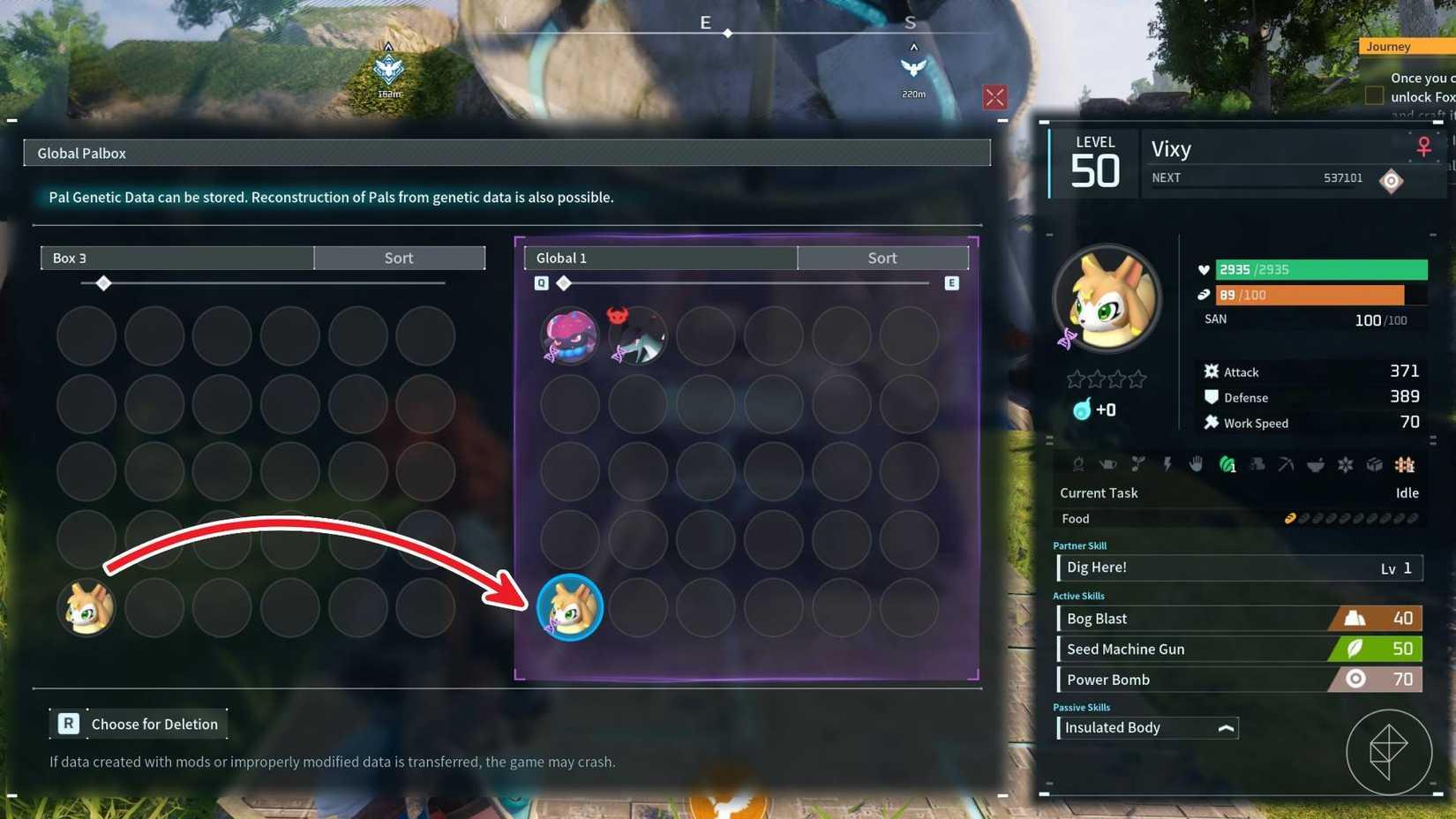
Image: Pocketpair via Polygon
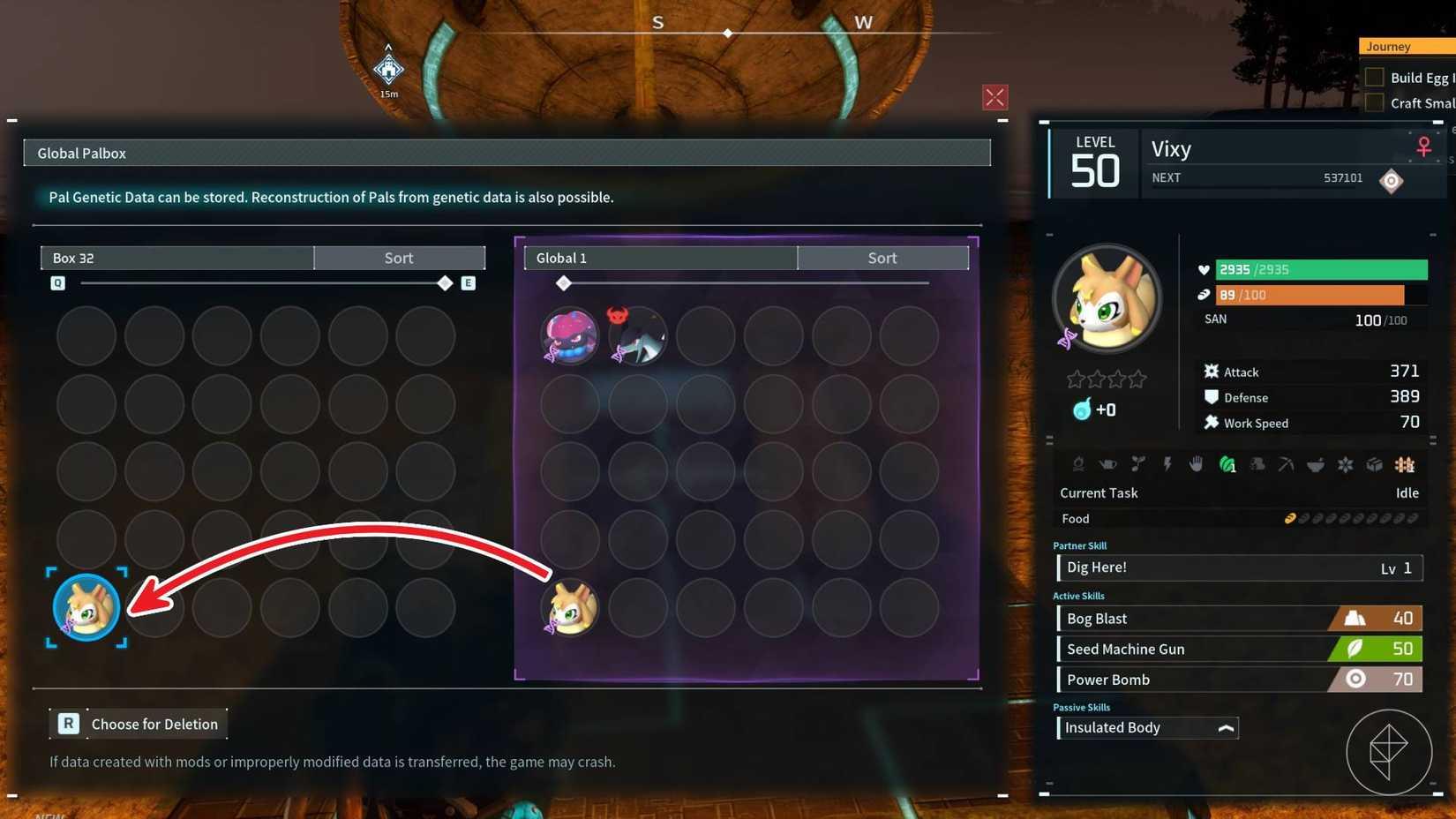
Image: Pocketpair via Polygon
Advanced Technique: For maximum efficiency, create genetic backups of Pals with perfect passive skills before transferring them to new worlds. This strategy eliminates the need to re-breed ideal trait combinations across multiple game files, saving dozens of hours in optimization efforts.
Beyond basic transfers, the Global Palbox enables sophisticated multiplayer and resource management strategies that dramatically enhance your Palworld progression efficiency.
Multi-World Resource Optimization: Transfer specialized gathering Pals to new worlds to accelerate resource collection. Send mining-focused Pals to worlds rich in ore deposits, or move logging specialists to forest-heavy maps to maximize material acquisition rates.
Breeding Program Acceleration: Establish dedicated breeding worlds with ideal climate conditions, then transfer your best offspring to operational bases. This specialization approach significantly improves breeding success rates and trait inheritance probabilities.
Backup Security Strategy: Regularly save genetic data of your most valuable Pals as insurance against accidental loss or corruption. Many experienced players maintain offline genetic archives of their top 10-15 Pals for disaster recovery purposes.
Community Exchange Potential: While direct player-to-player trading isn’t yet implemented, the Global Palbox system lays groundwork for future social features. Understanding these mechanics now prepares you for upcoming multiplayer enhancements.
Mastering these advanced Global Palbox applications transforms your approach to Pal management, turning what appears as a simple transfer tool into a comprehensive cross-world ecosystem management system.
Action Checklist
- Verify world settings allow genetic data operations
- Gather 3 paldium fragments, 5 wood, and 15 stone
- Construct Global Palbox from Pal tab in build menu
- Store Pal in regular Palbox and note location
- Use Global Palbox to save genetic data to global storage
- Access Global Palbox in new world to reconstruct Pal
No reproduction without permission:Game Guides » How to transfer Pals using the Global Palbox in Palworld Master Palworld's Global Palbox system to transfer your best Pals across worlds with expert strategies